WheelsEye · App-first support
Sixty thousand tickets a month, and a phone call for every one.
How I moved India's largest fleet platform from agent-led support to an app-first, increasingly automated one: the flows, the logic under them, and what changed.
What I found
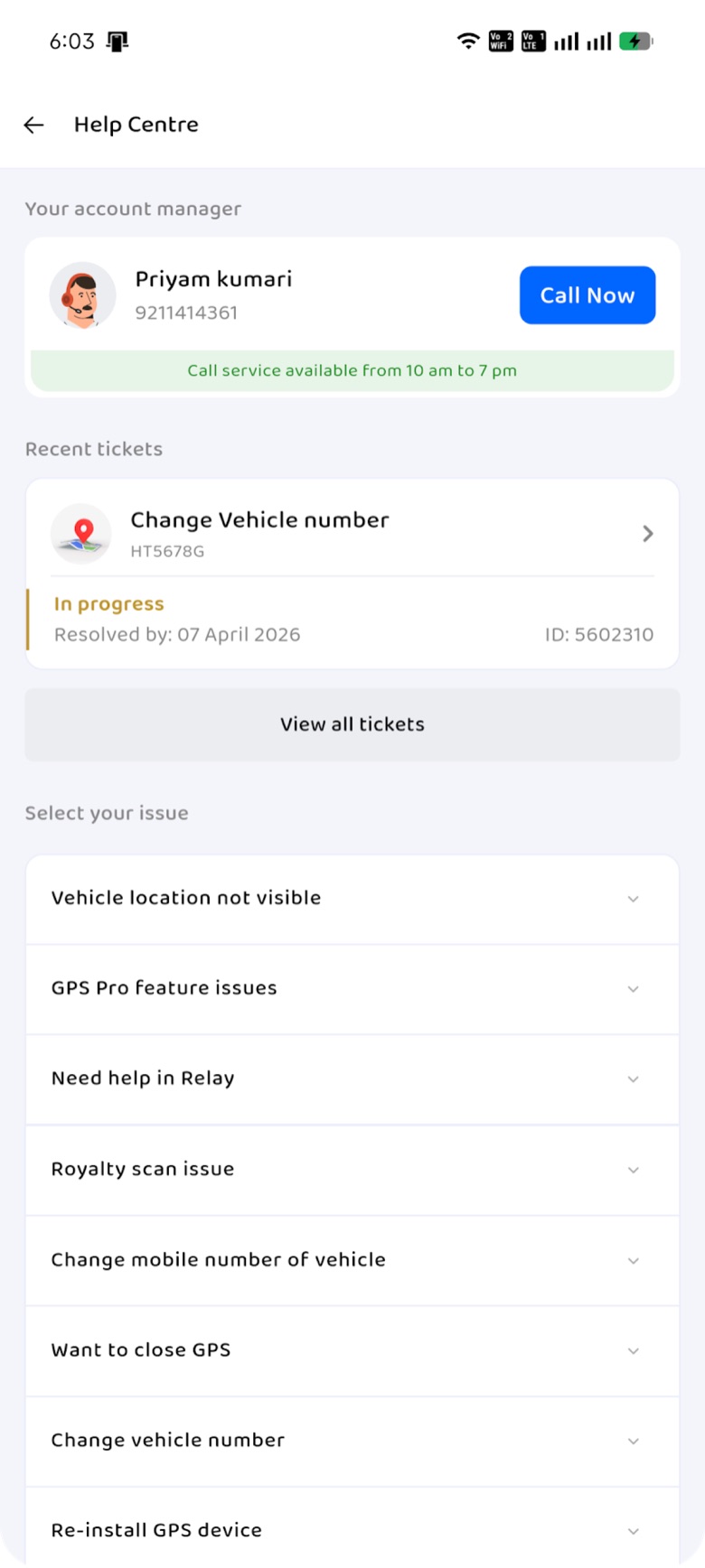
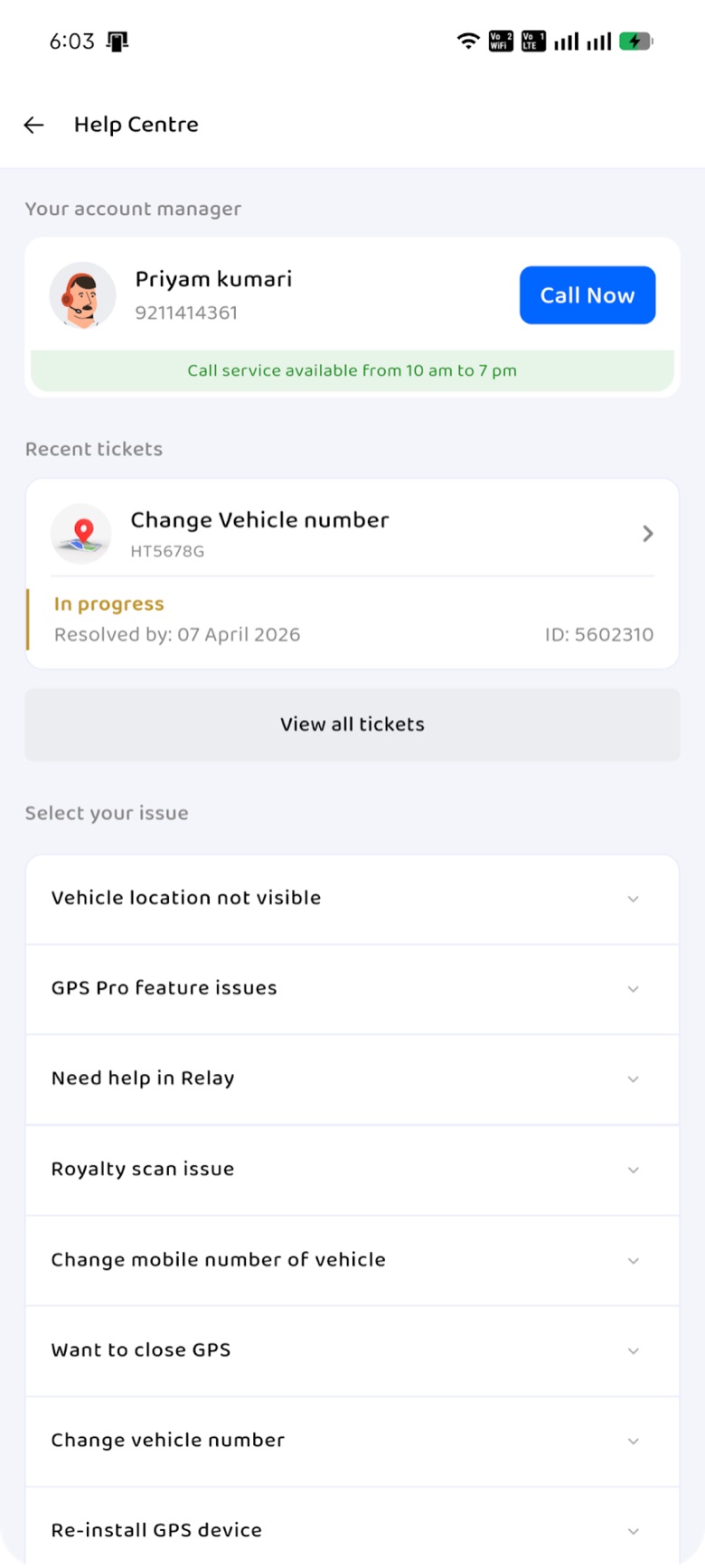
The old Help Centre pushed people to call.
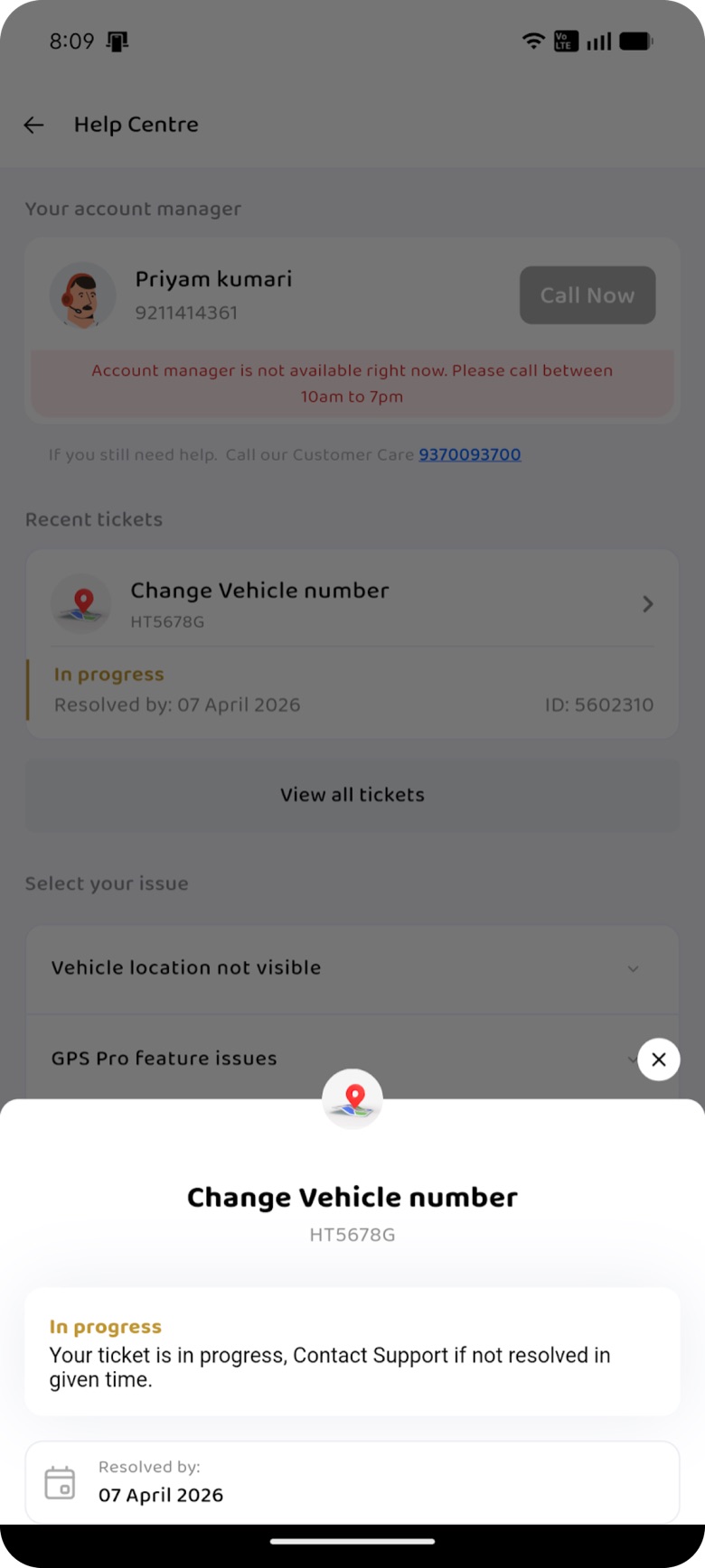
I audited the existing screens before designing anything. Calling was the biggest thing on the page, chat sat inside a long issue list, and a raised ticket said little more than "contact support".
Help Centre · before
A raised ticket · before
The core problem
What made it worse
And behind the phone
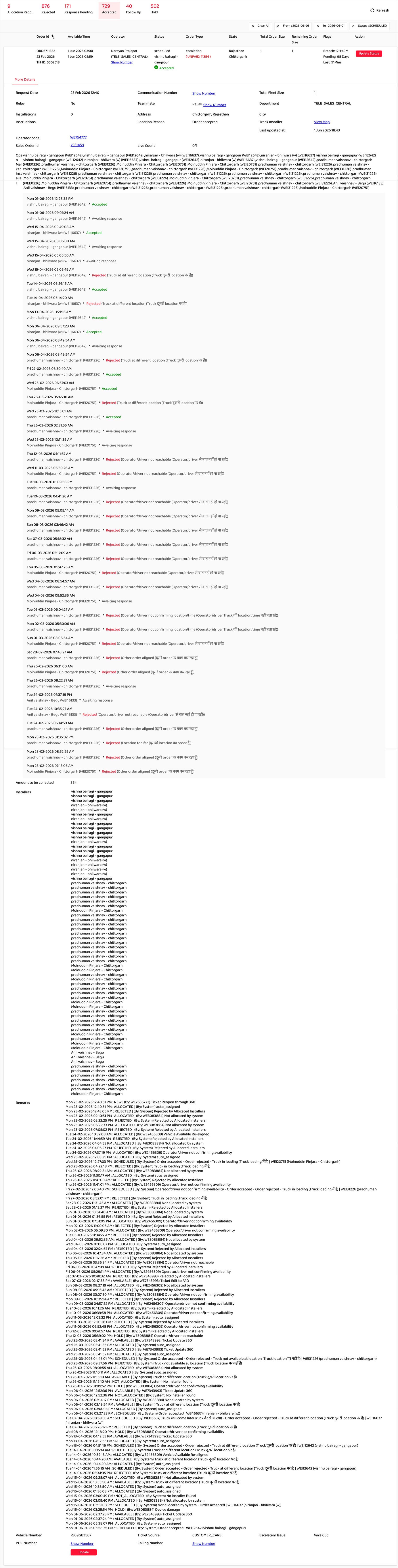
Agents couldn't pick up where a colleague left off.
Each order opened into raw installer assignments and a scroll of status changes. Nothing said why a ticket was stuck, so every call started from zero and the second agent re-asked what the first had already learnt.
The redesign · screen space
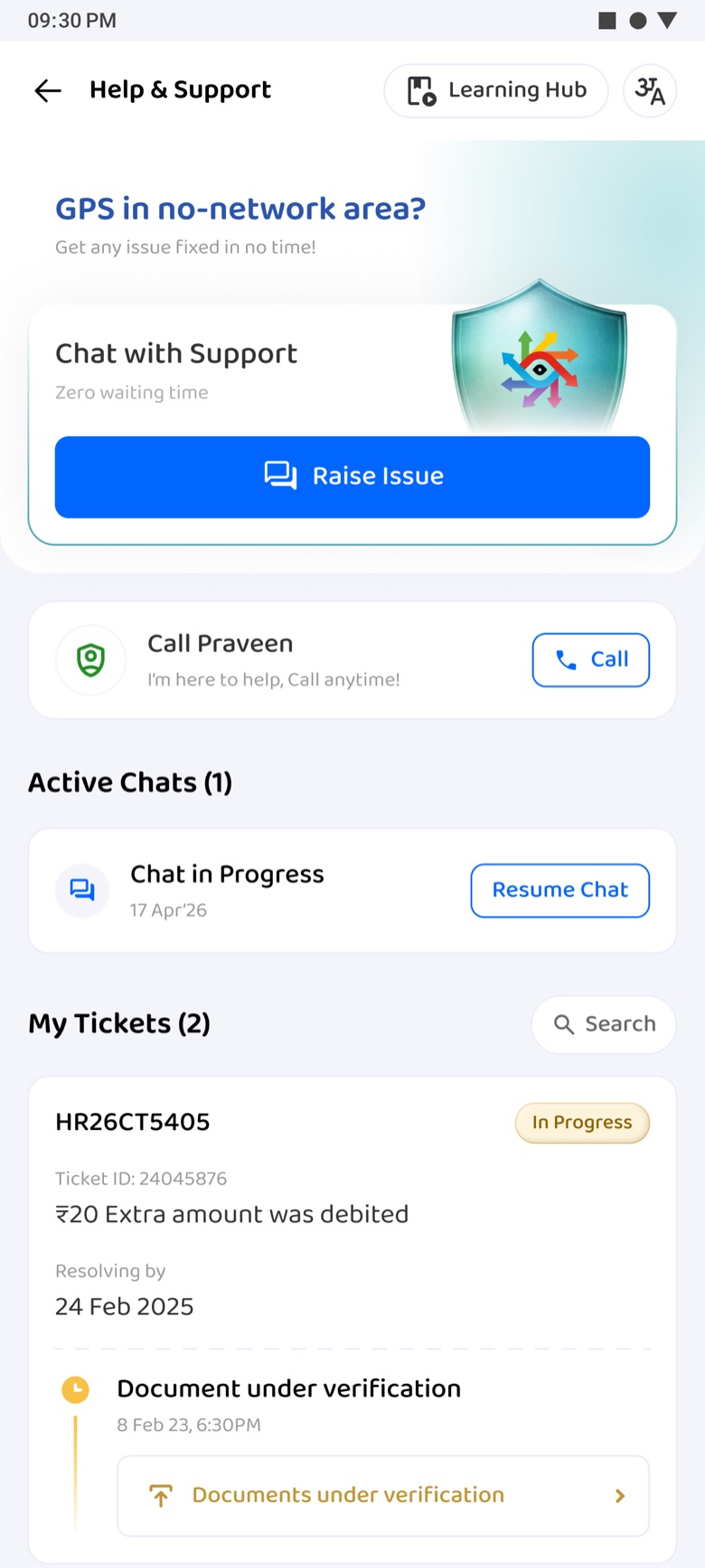
One Help & Support page, ordered by intent.
Same content, re-weighted. Each bracket is measured on the shipped screens: how much of the page each job gets, before and after.
Before
Raise via chat
0%→28%From a list item to the top of the pageCall
15%→8%Still there, by name, as a choiceOngoing tickets
21%→51%With status and the next stepAfter
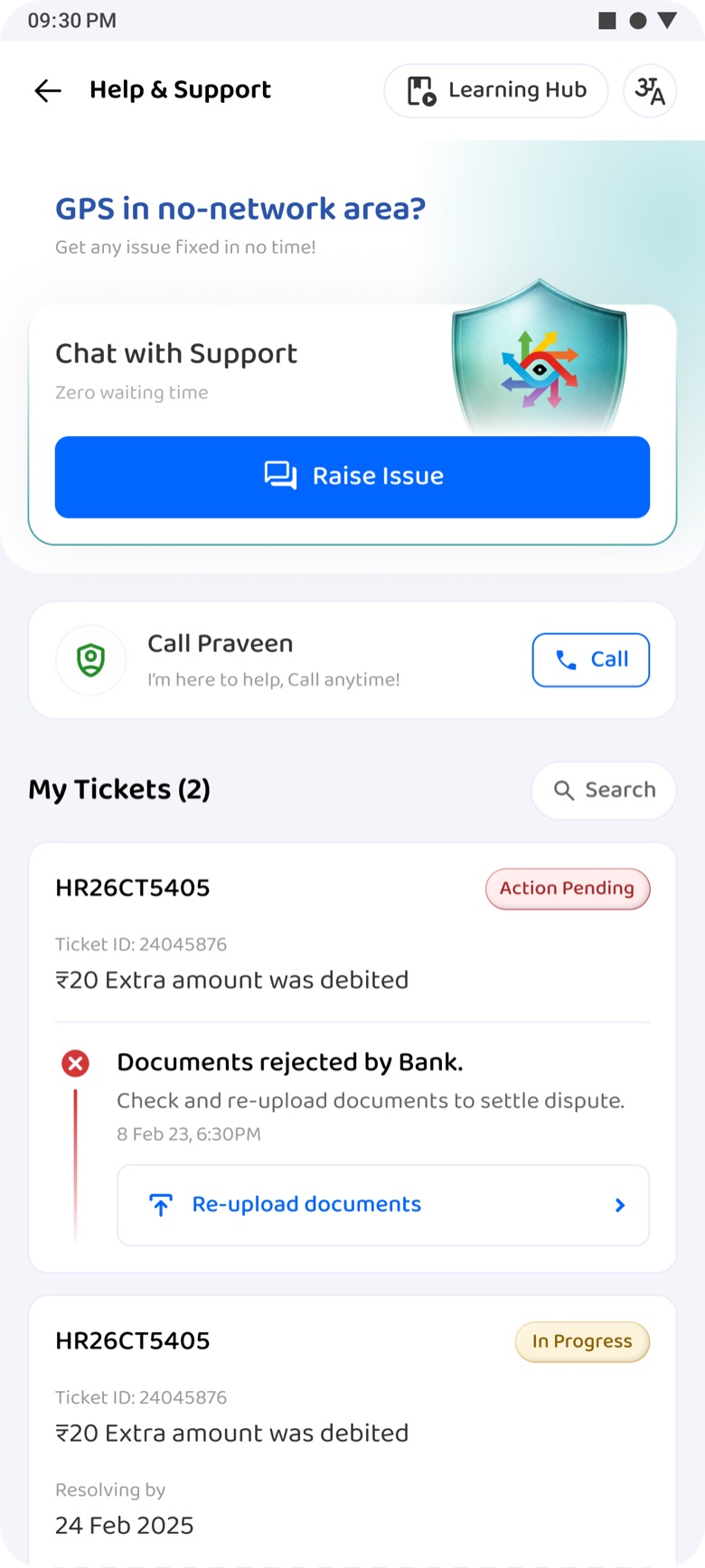
Help & Support · central page
One door. A person behind it.
- Raise Issue is the only primary action; the KAM stays one tap away by name.
- Live tickets carry their state and next step, so there's nothing to call about.
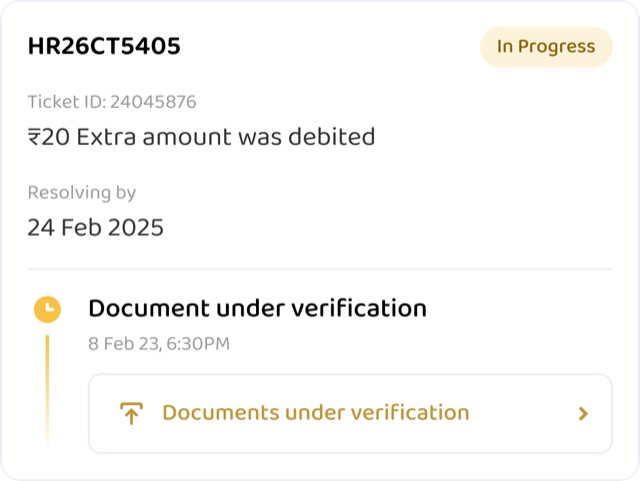
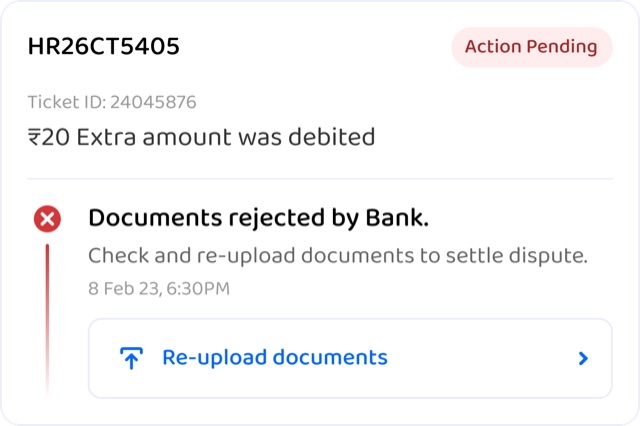
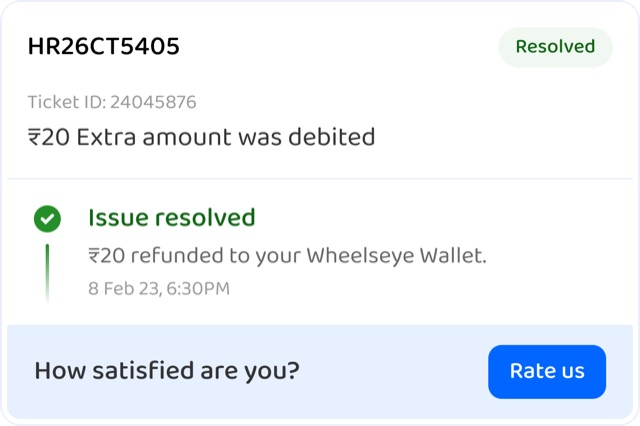
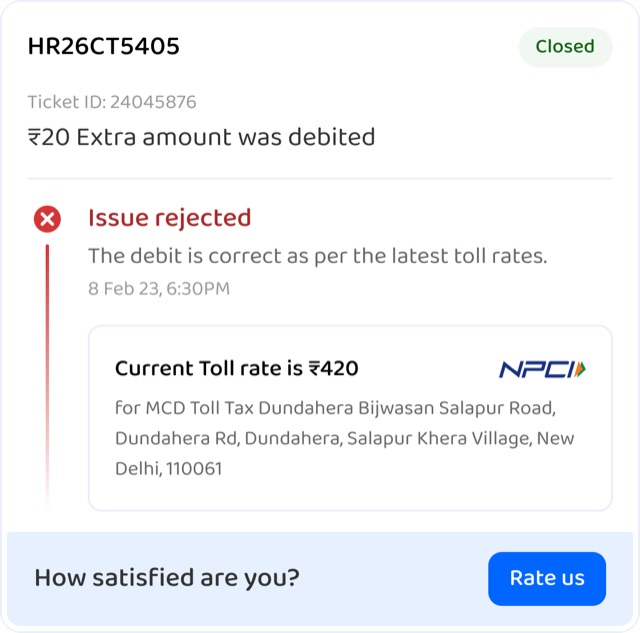
- Every card uses the same five states, each with one clear action or proof.


The ticket card · five states
In progress
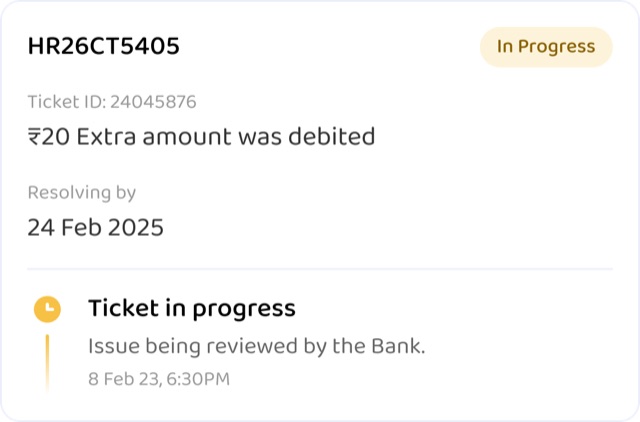
Verifying documents
Action needed · re-upload
Resolved · rate it
Rejected · with proof
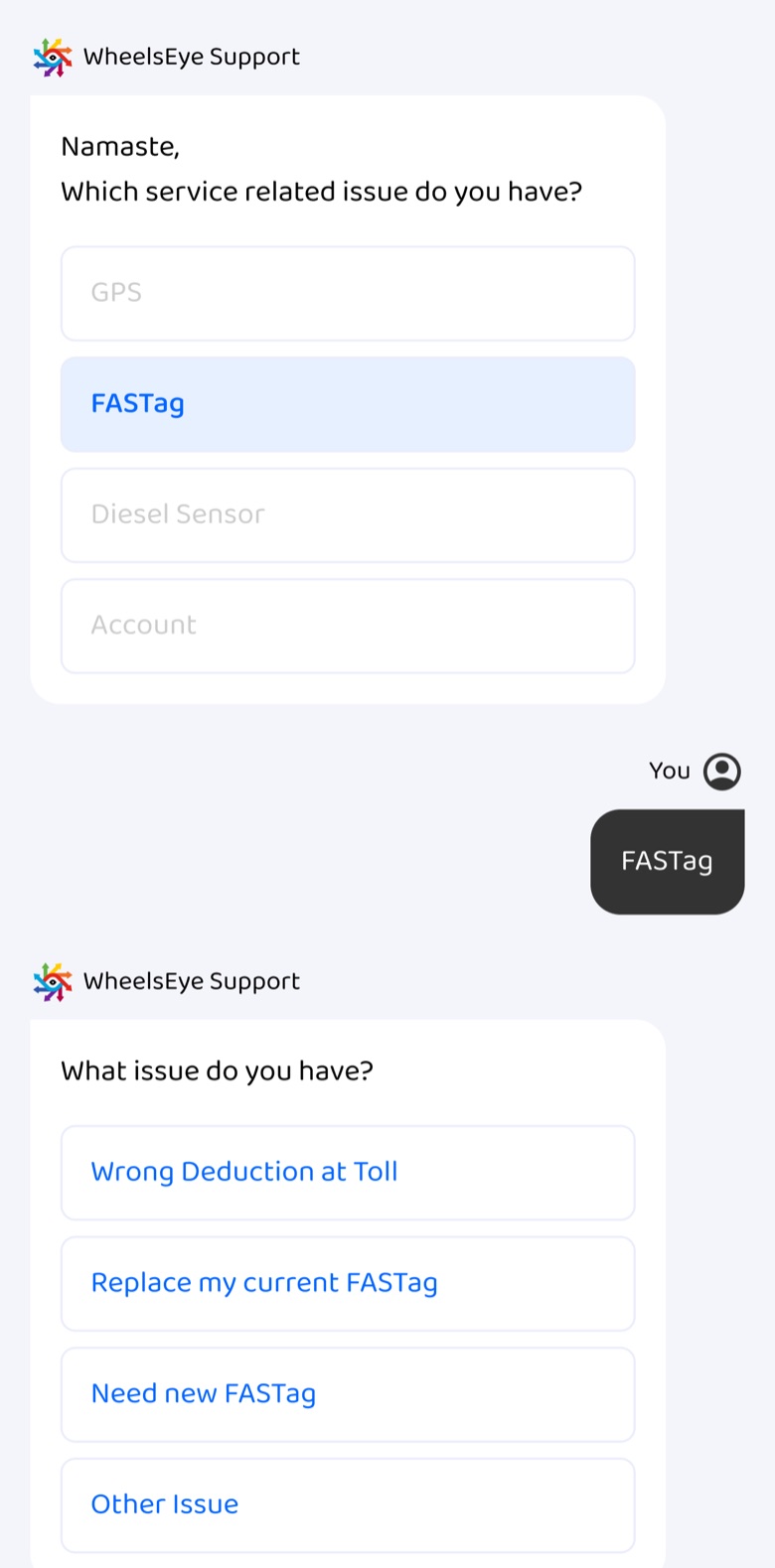
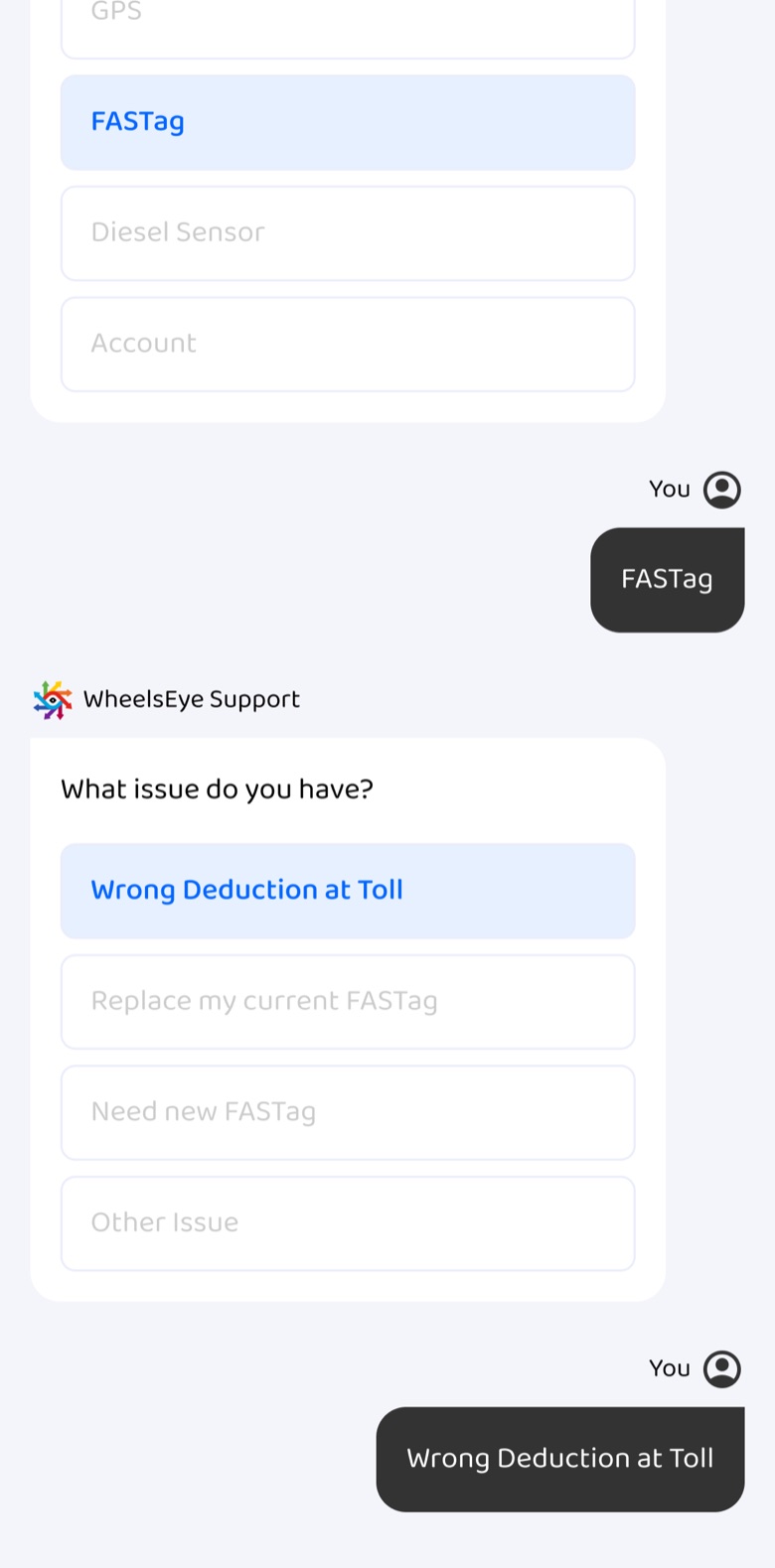
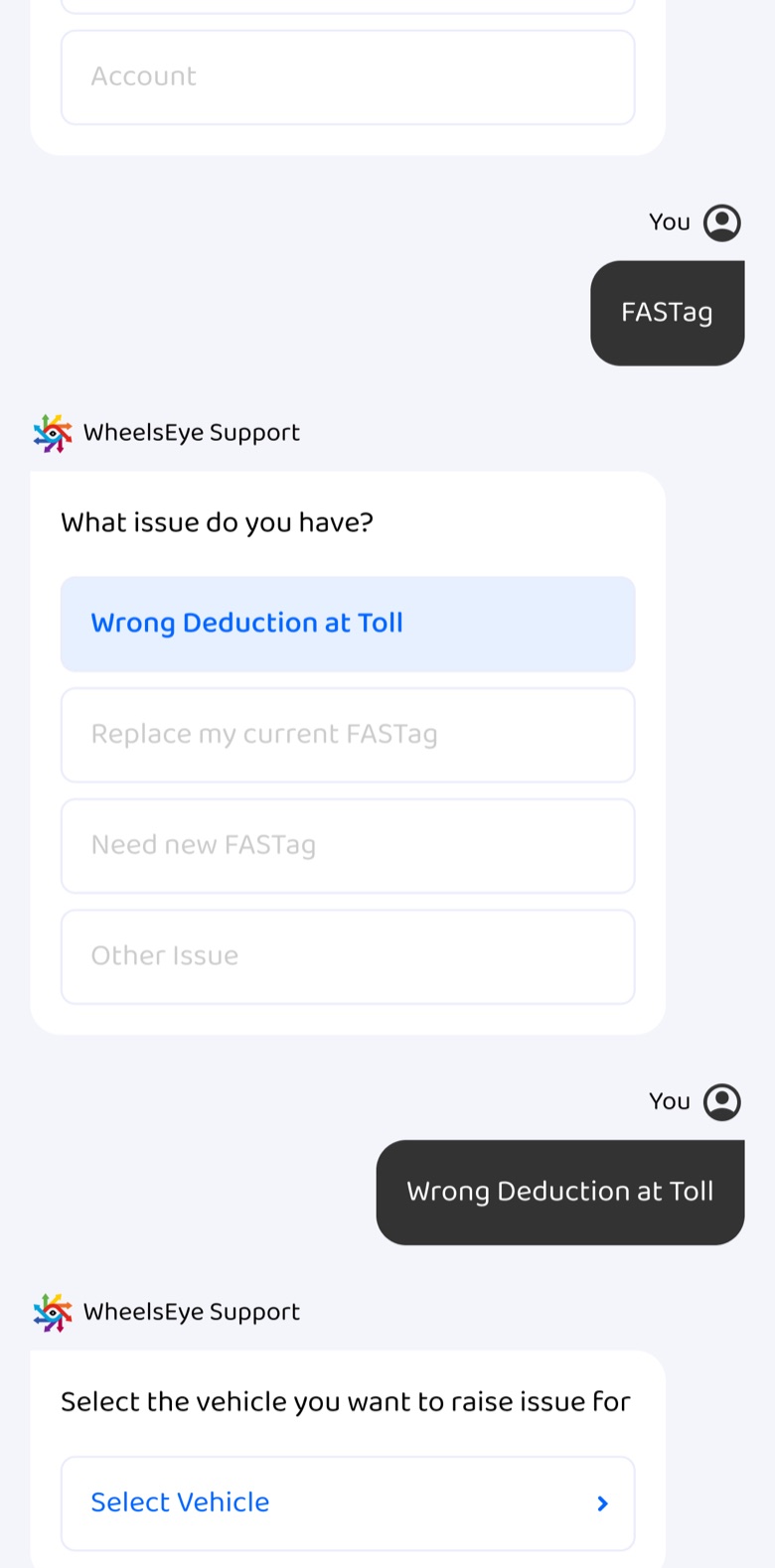
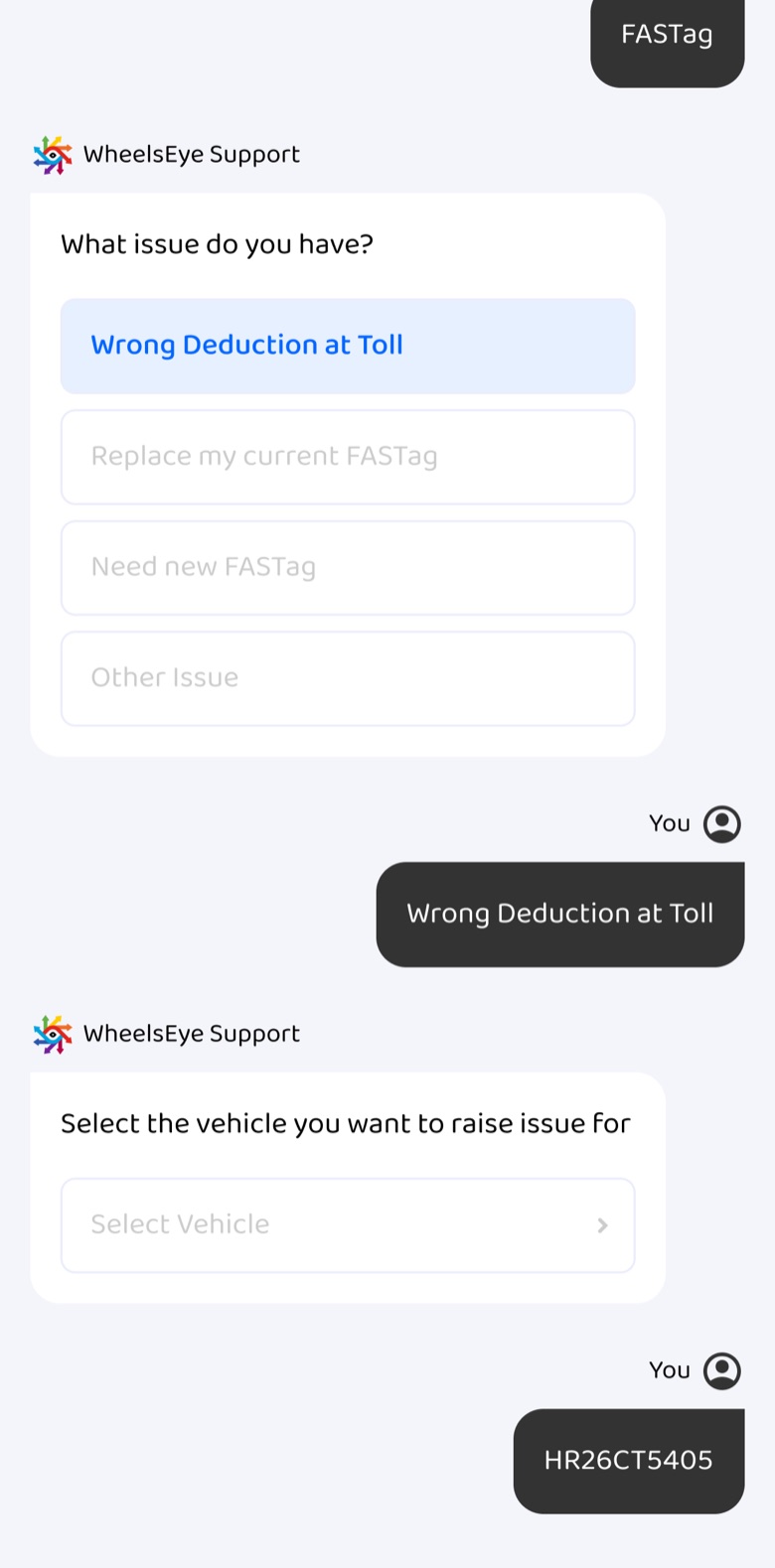
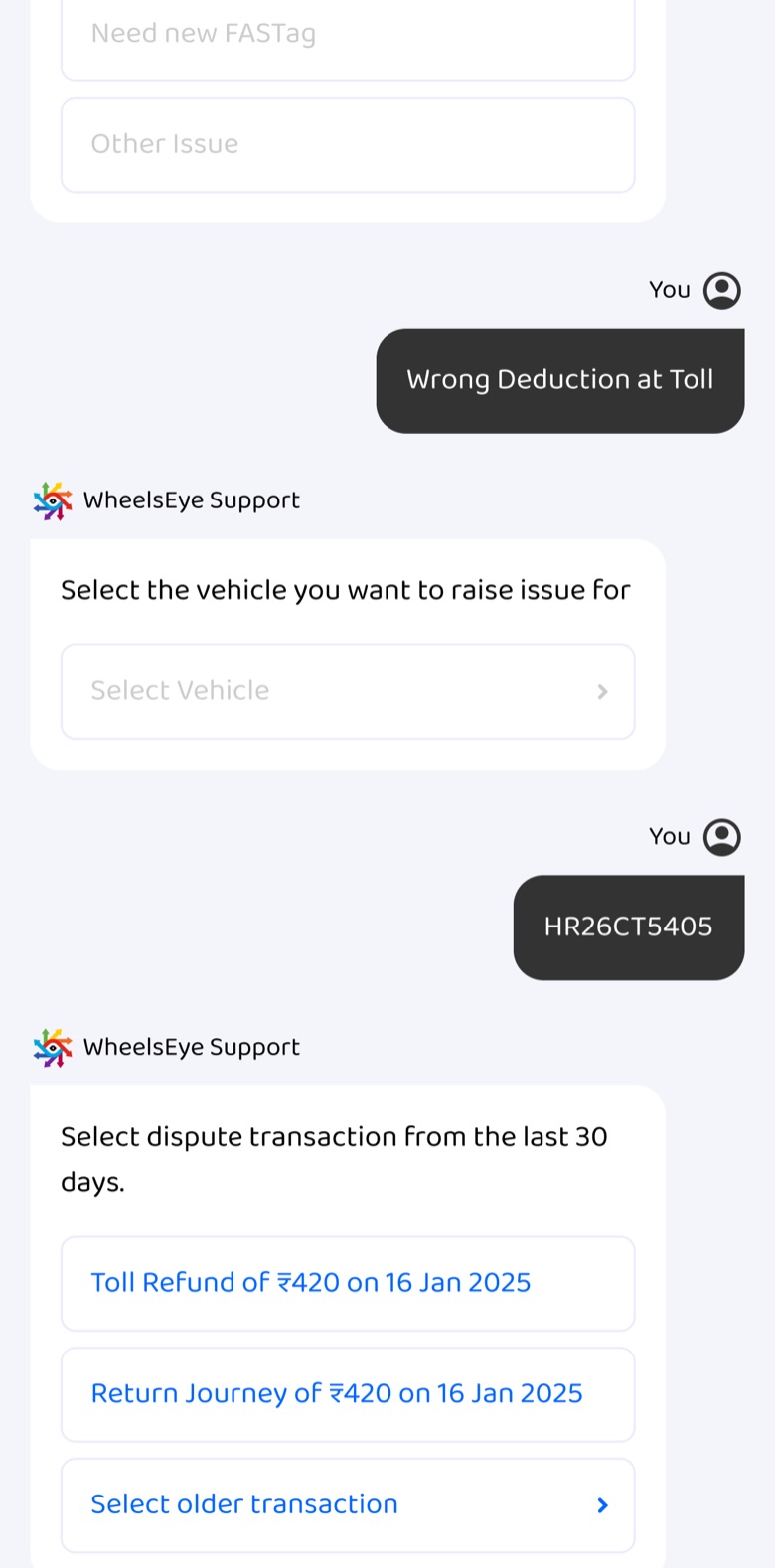
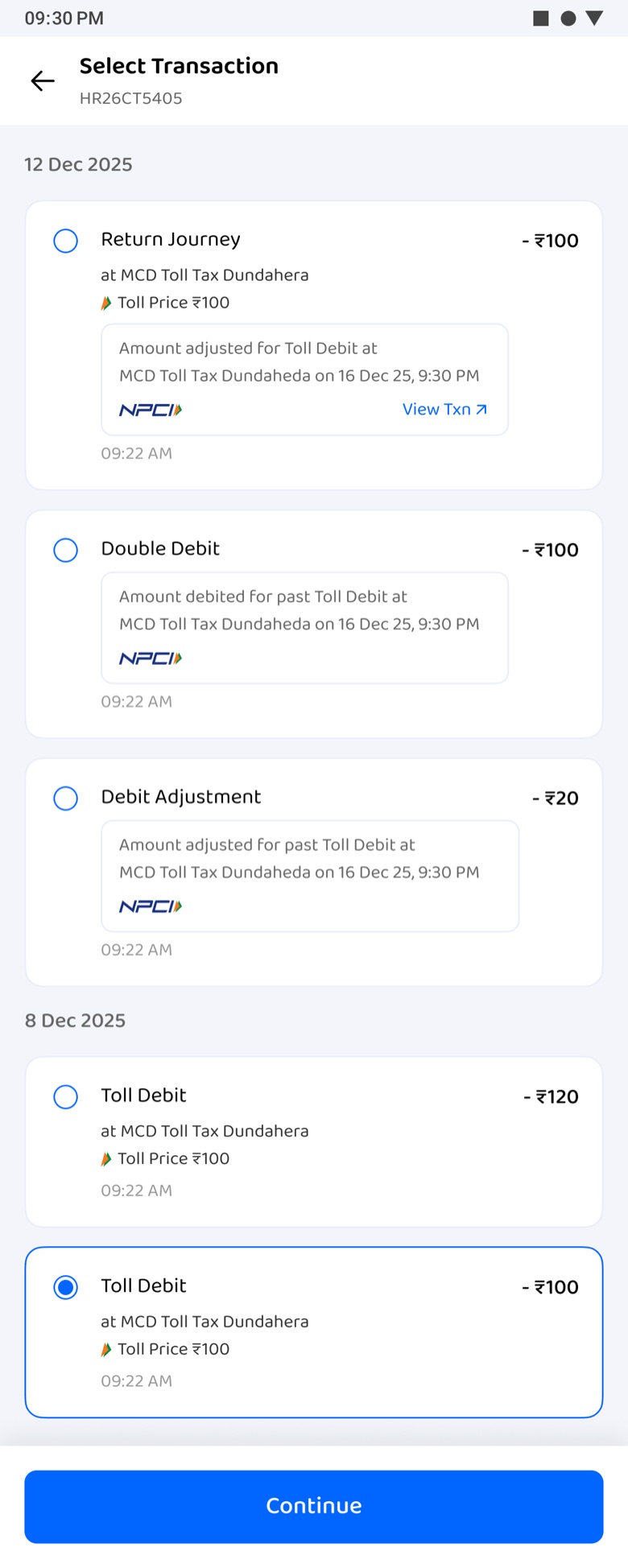
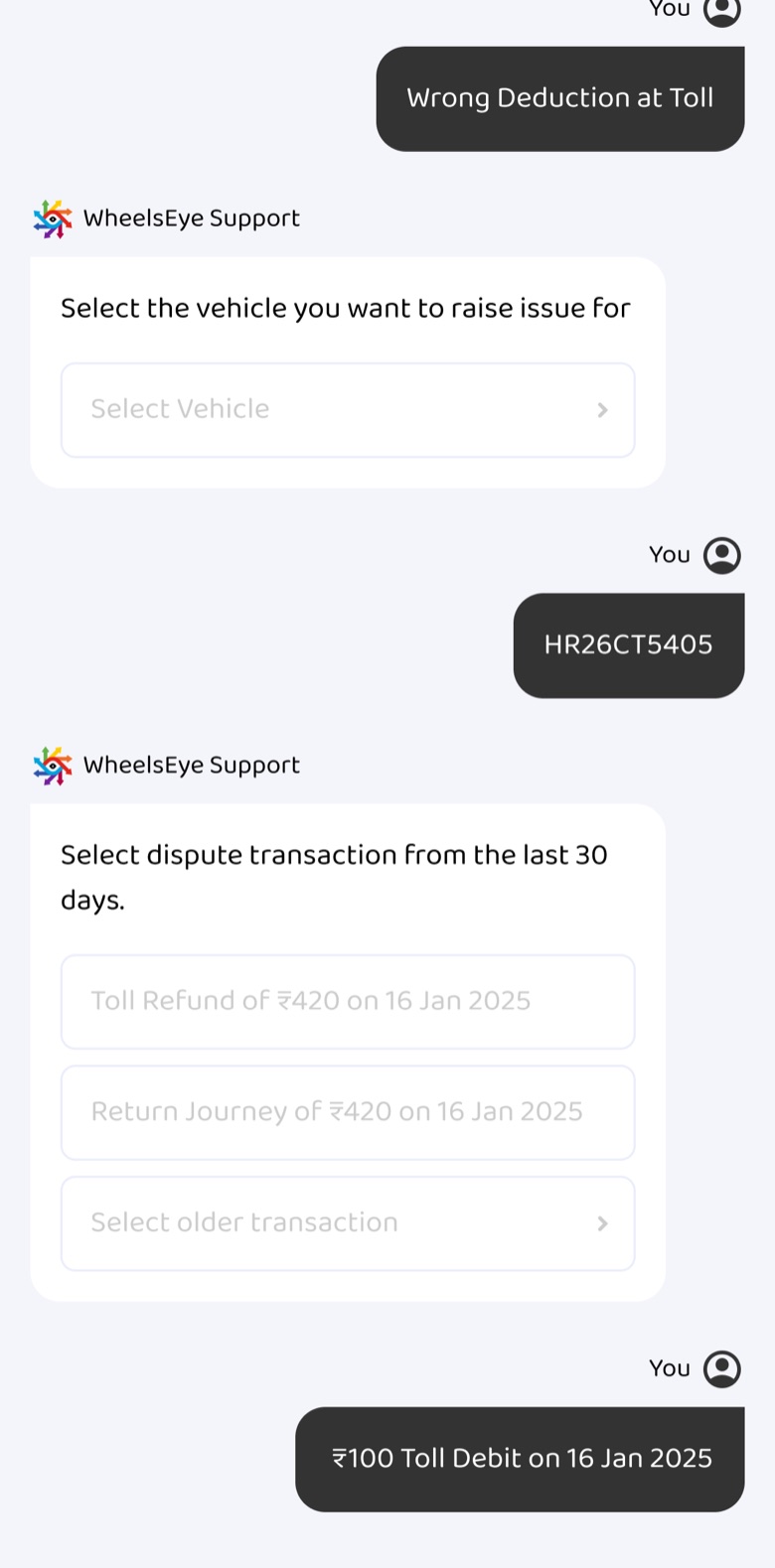
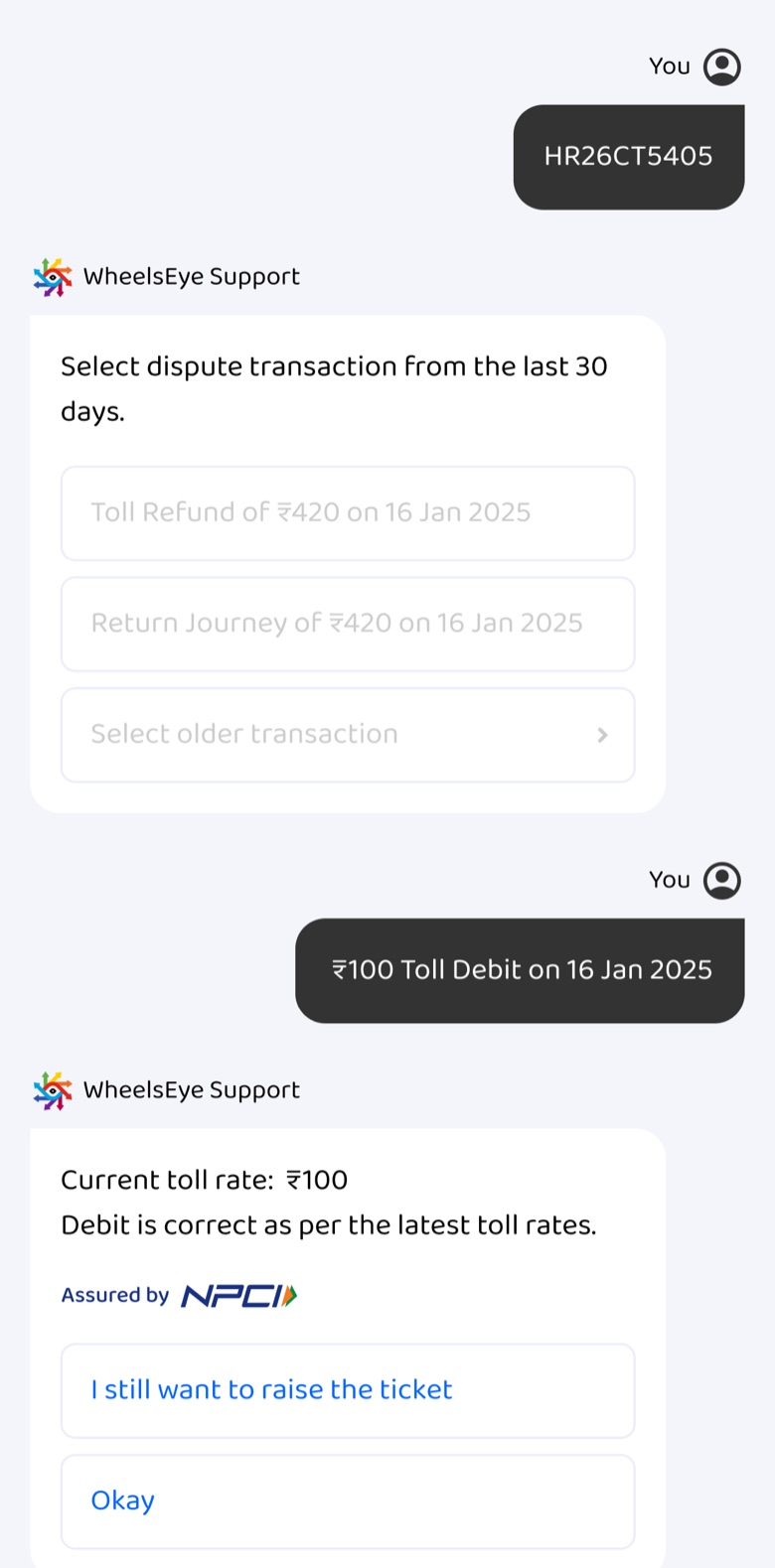
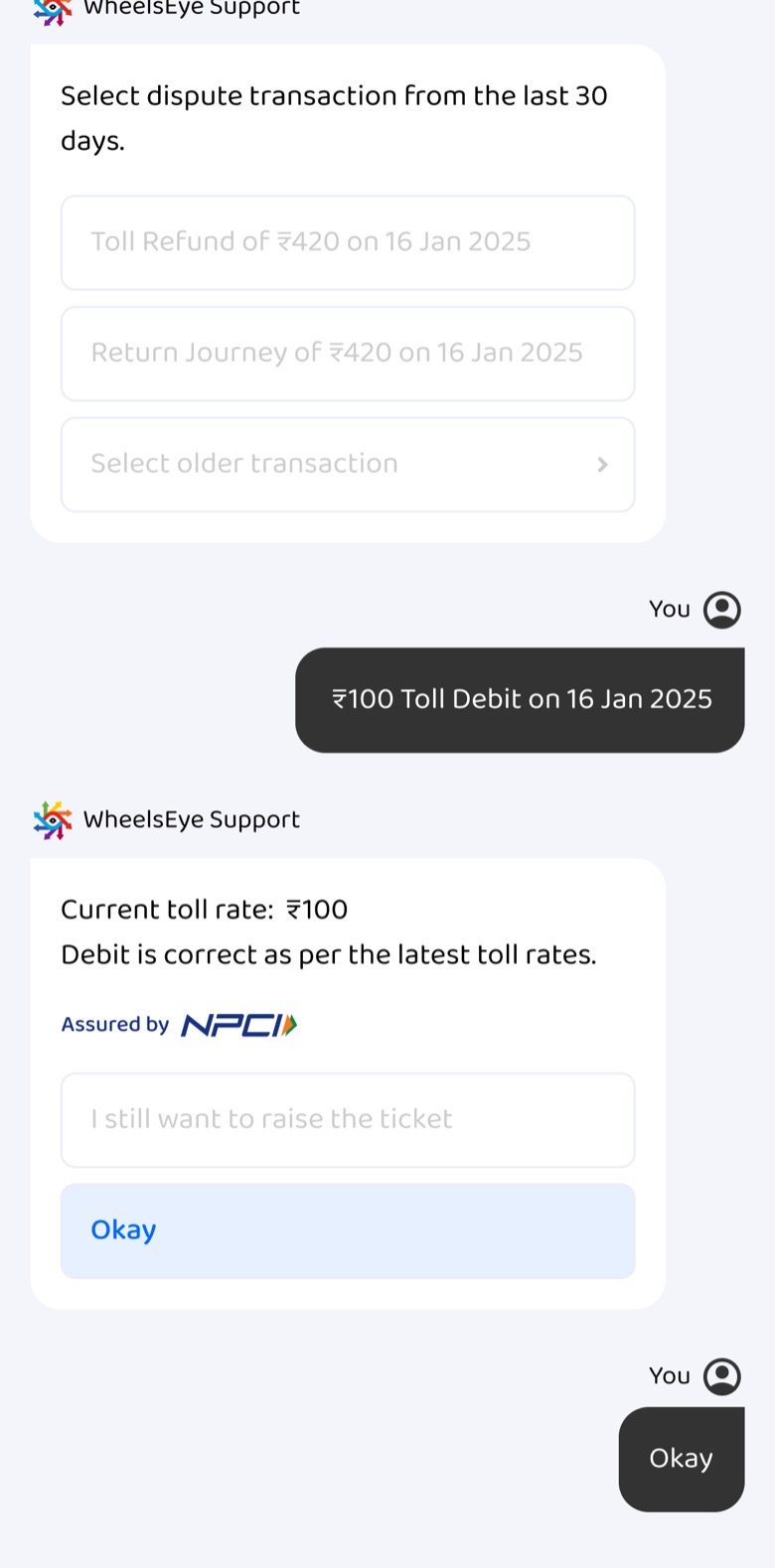
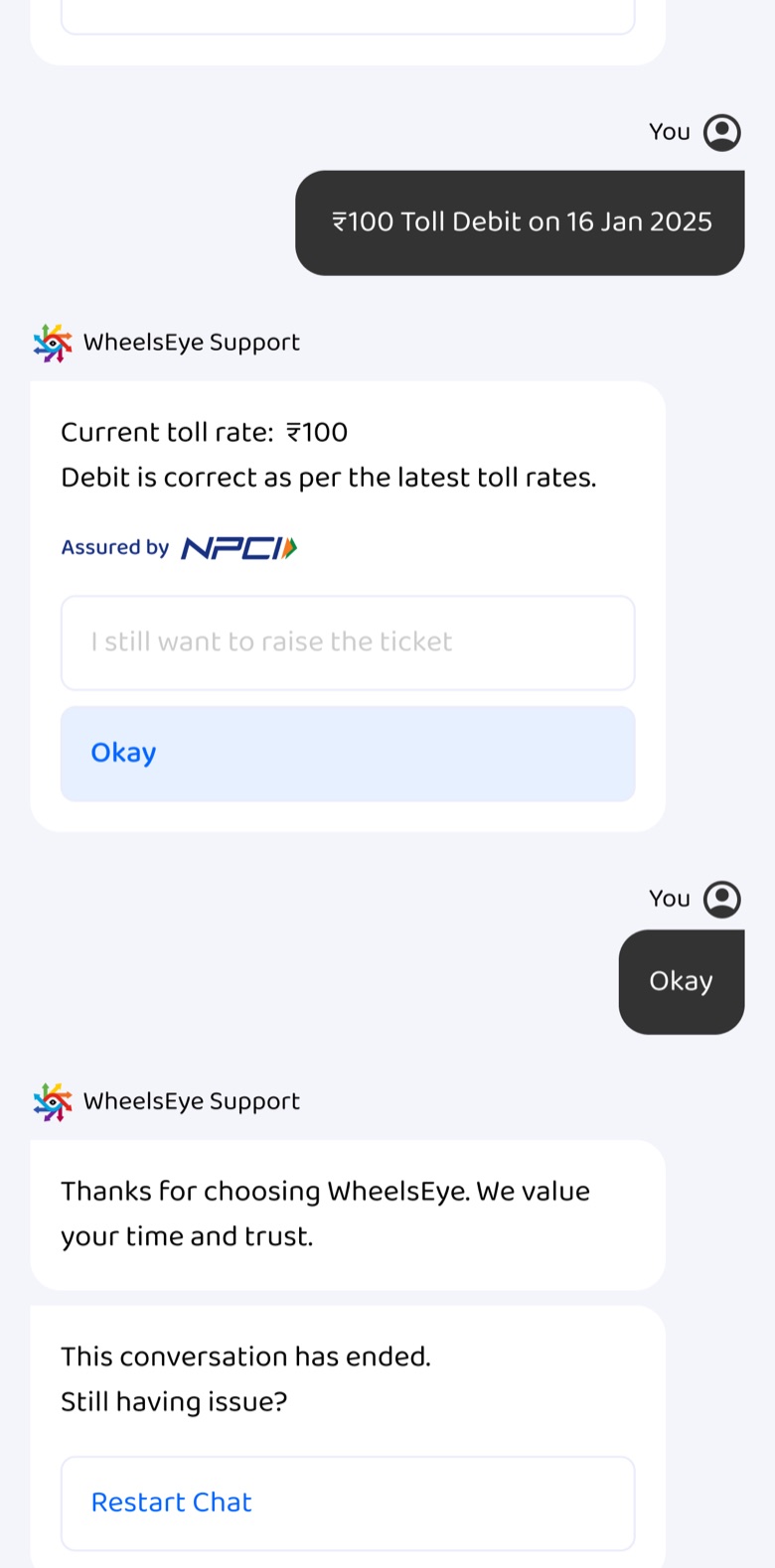
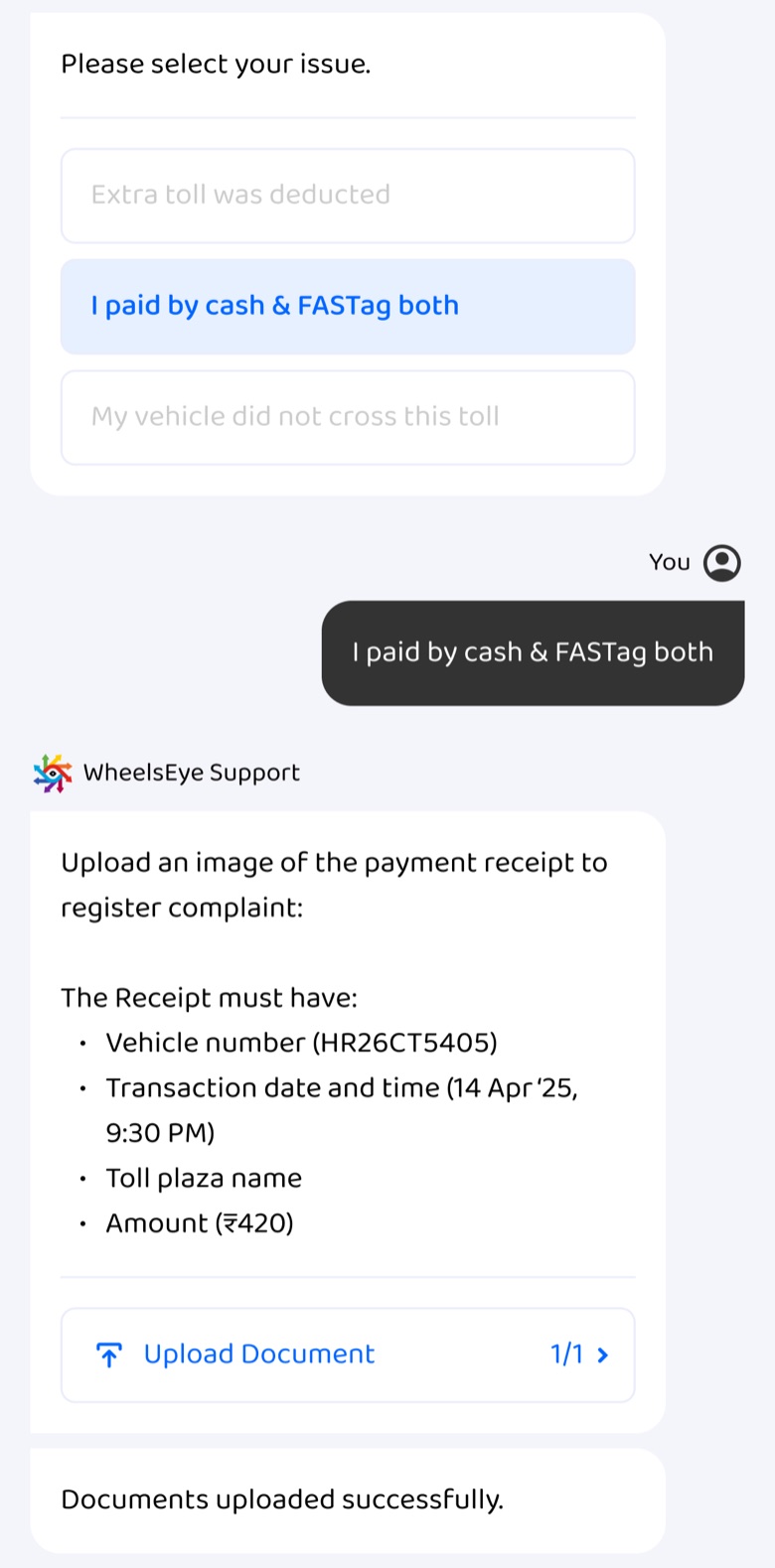
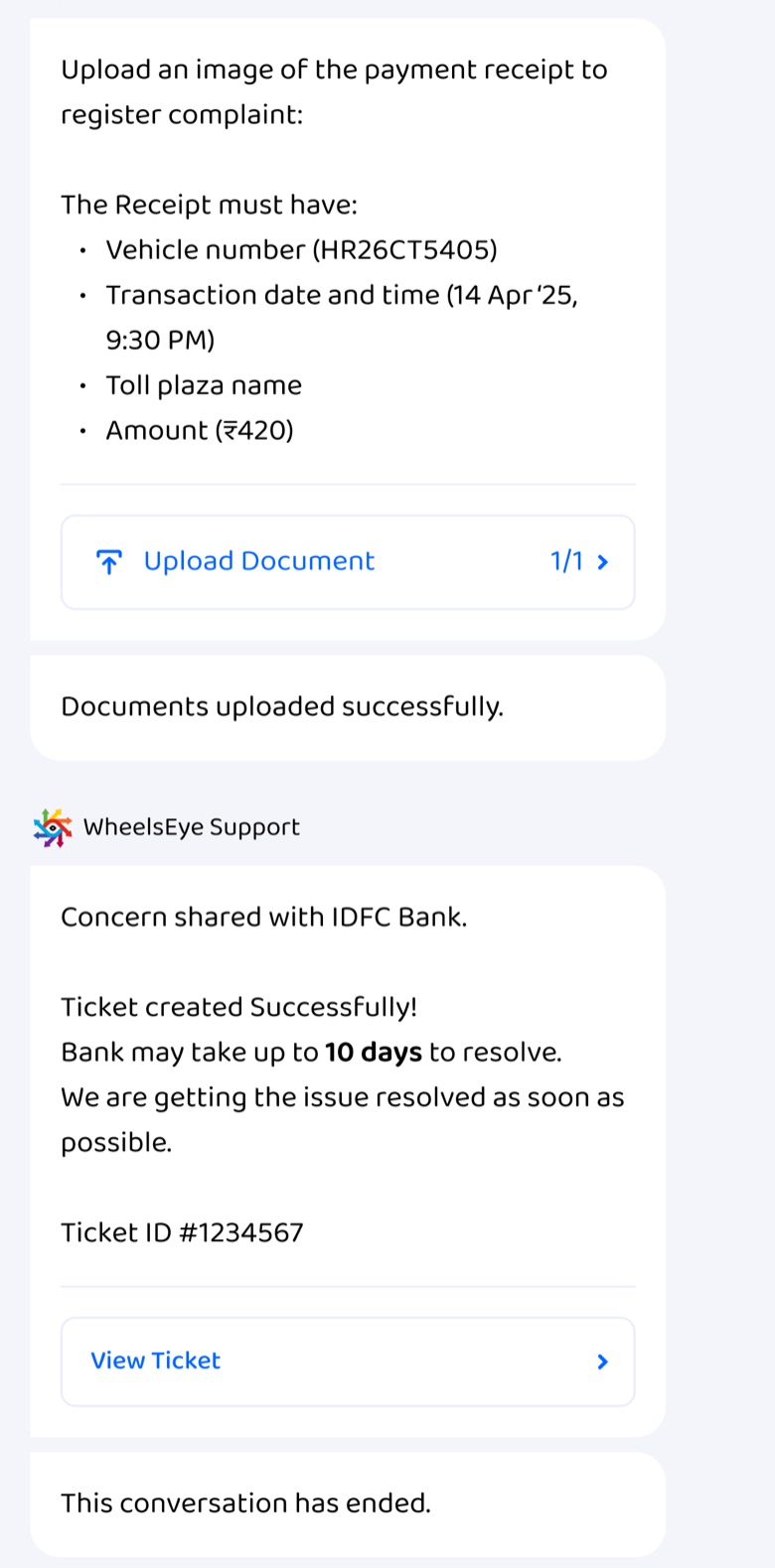
Raising an issue · FASTag wrong toll deduction
A guided chat that answers before it tickets.
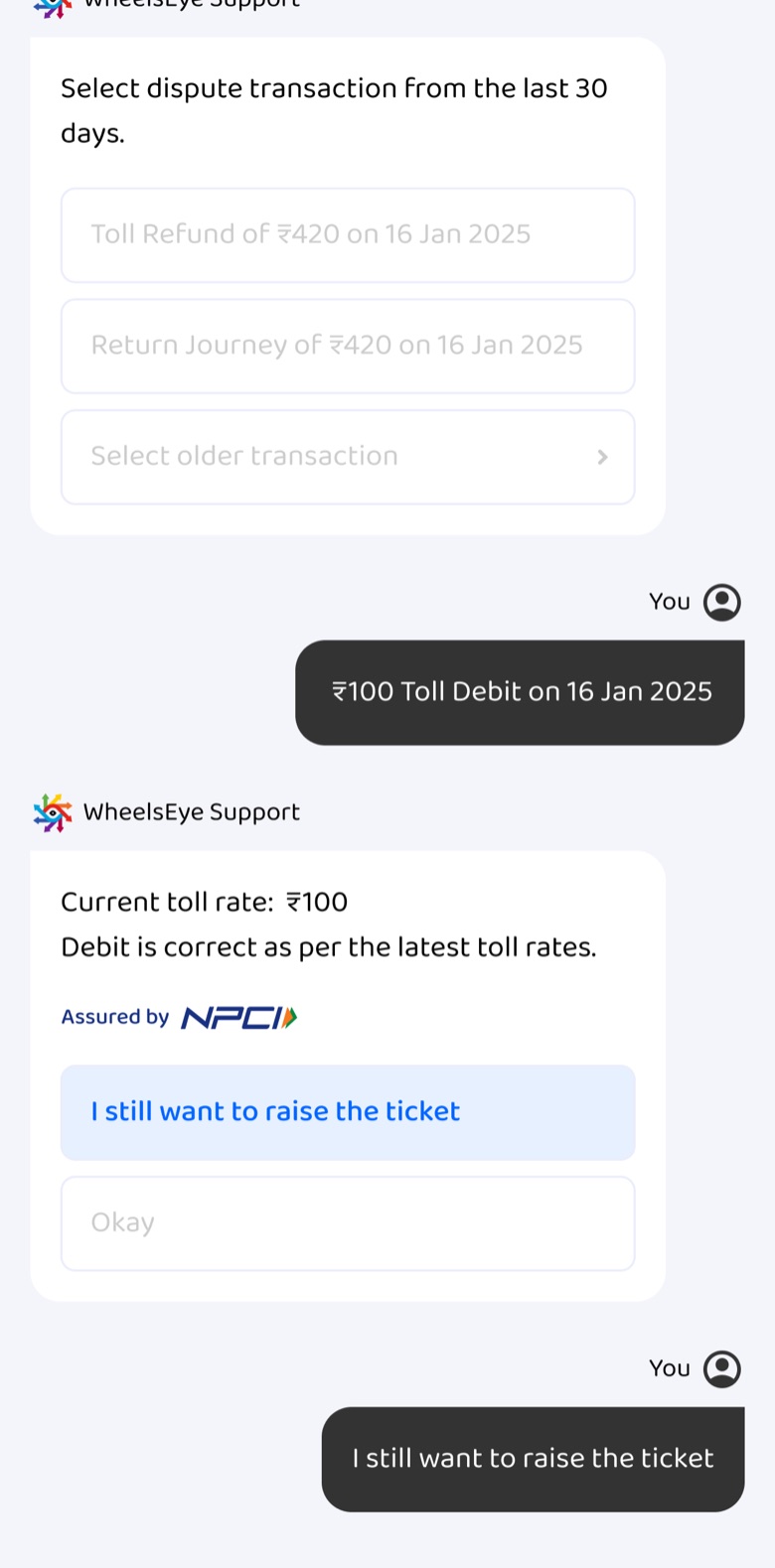
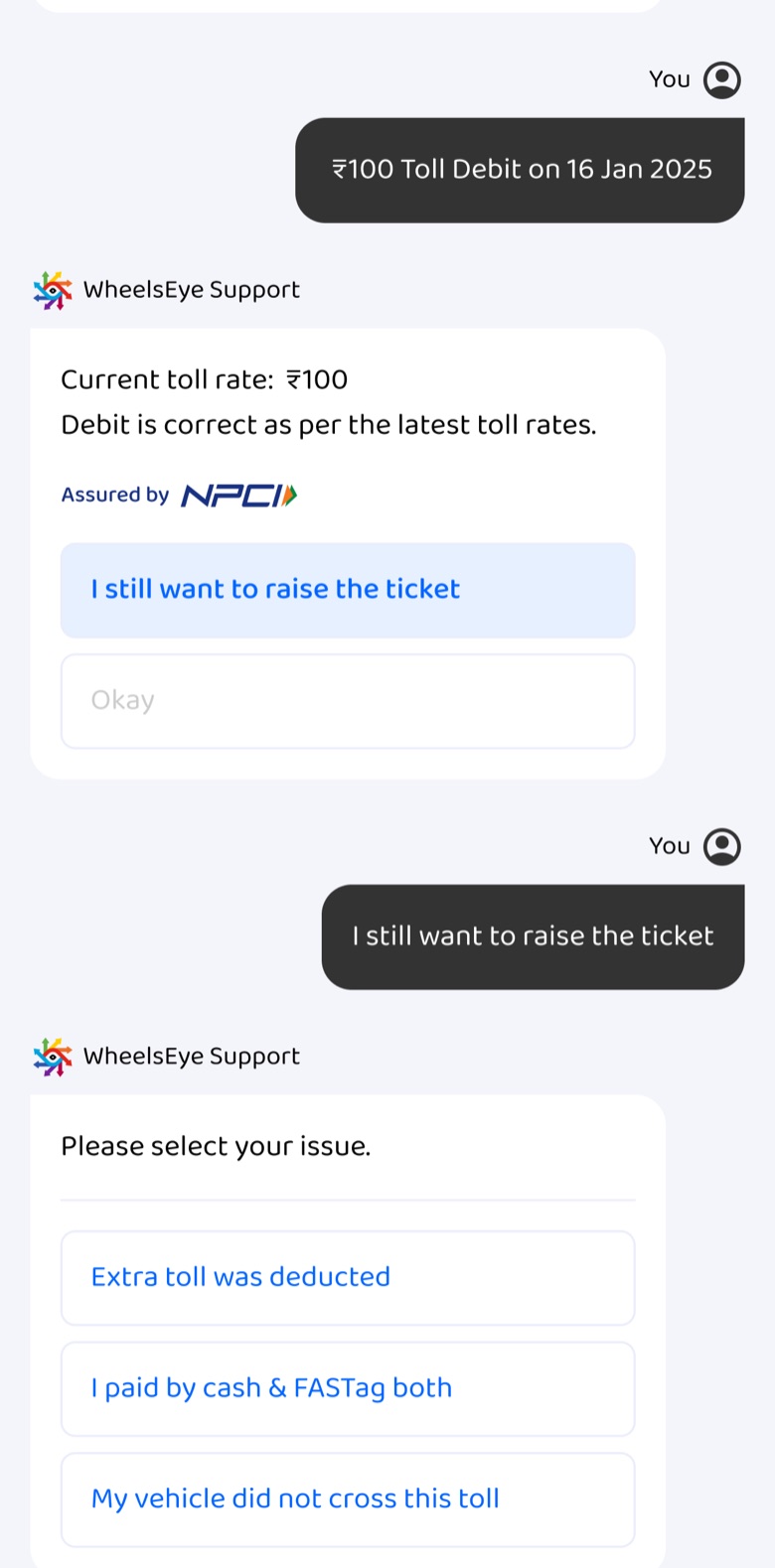
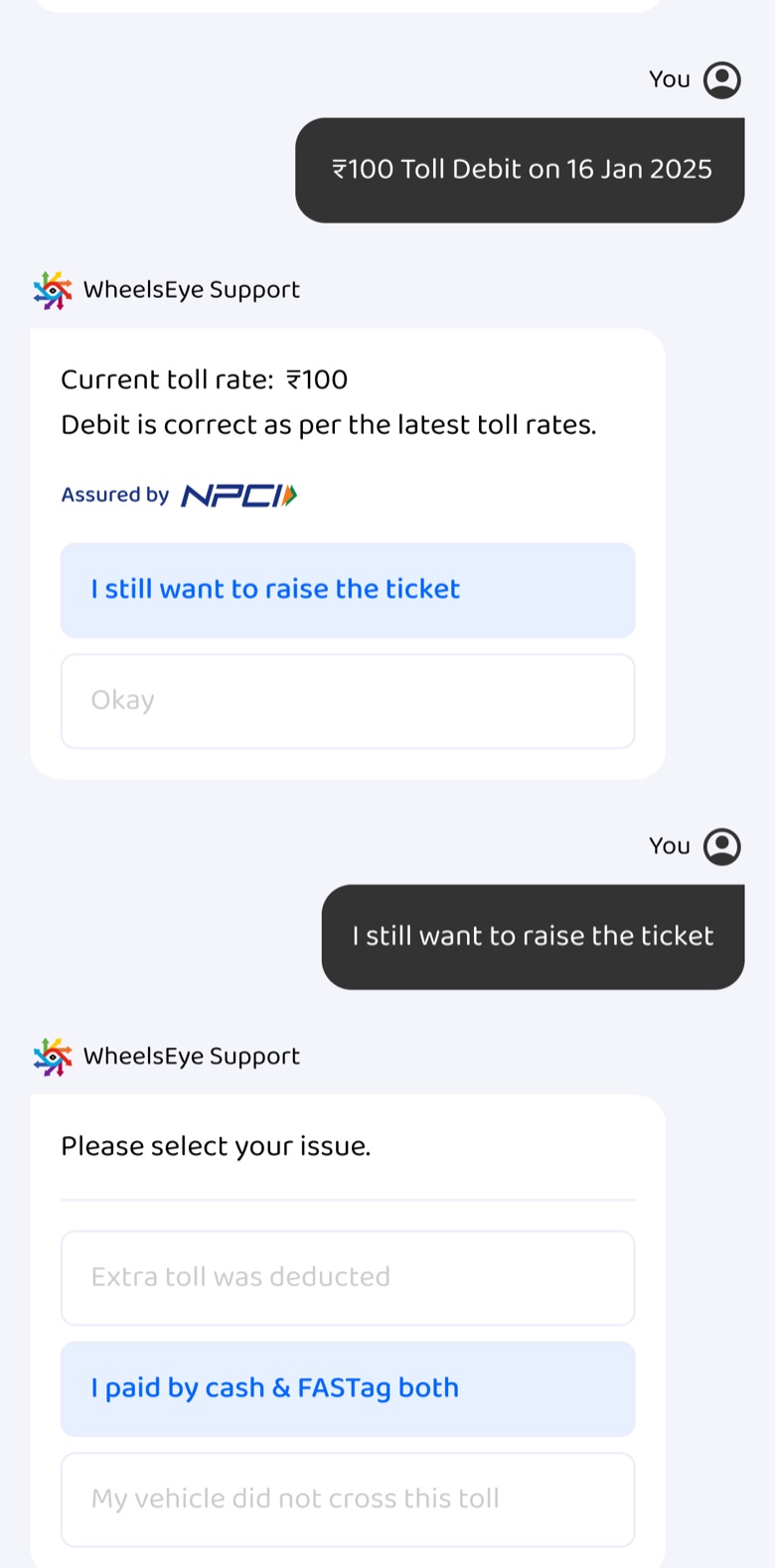
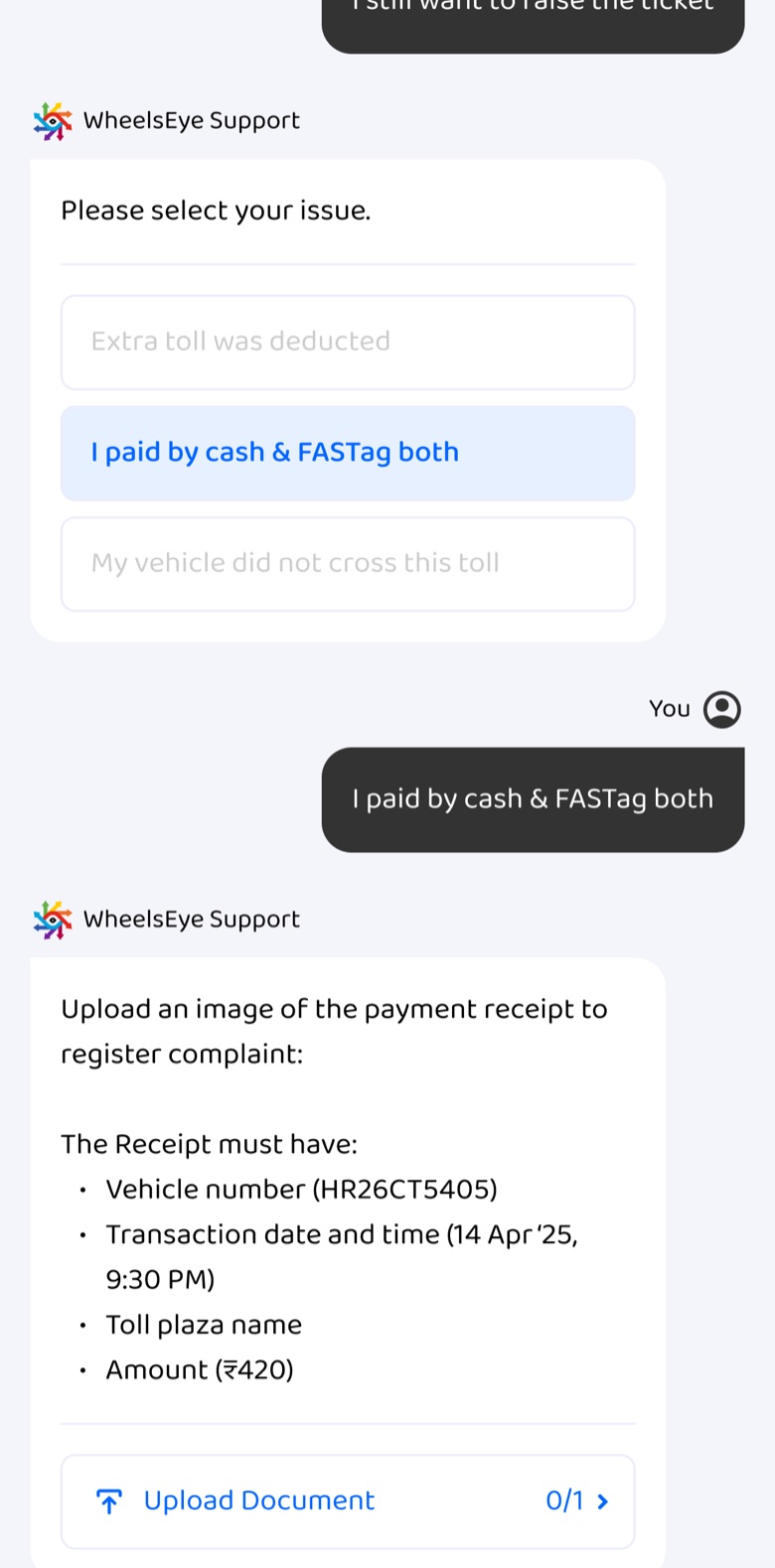
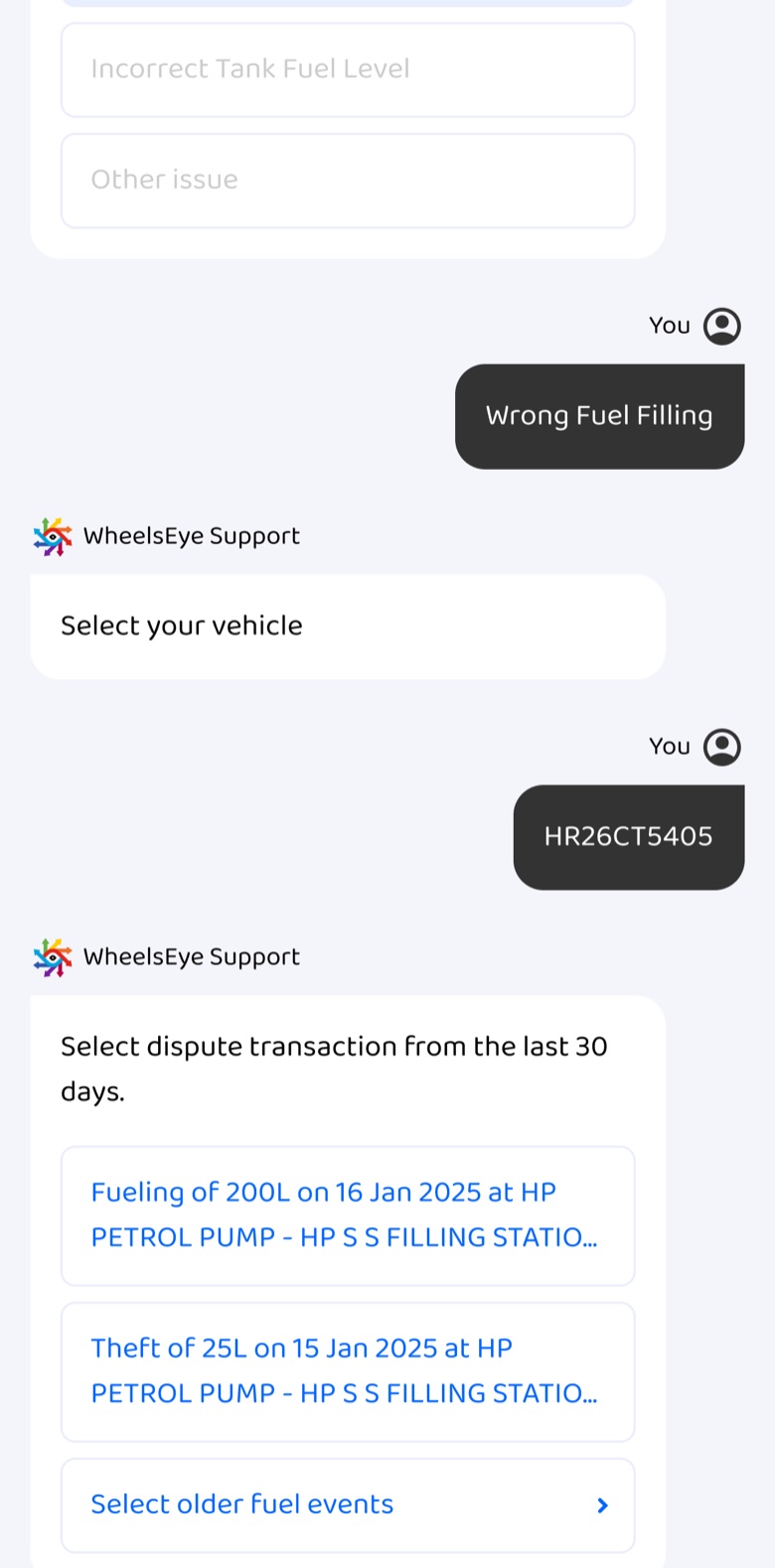
- The operator starts it. Service, issue, vehicle, then the exact transaction from the last 30 days: tap, don't type.
- The system checks first. The debit is compared with the current toll rate, assured by NPCI. If it's right, the operator gets an answer, not a ticket.
- "I still want to raise the ticket" stays available, and then asks for the right proof once, up front.
- The ticket arrives with the bank's timeline and shows up on Help & Support straight away.









Resolve without a ticket · unable to log in
The data said it was self-solvable, so I gave control back.
Operators who didn't get an OTP had to call us to log in. Ticket data showed a handful of causes they could fix themselves.
- "Having trouble logging in?" lists five fixes, most likely first.
- Each fix shows exactly where to tap on their own phone, not a paragraph of instructions.


Catch it where it happens · diesel sensor
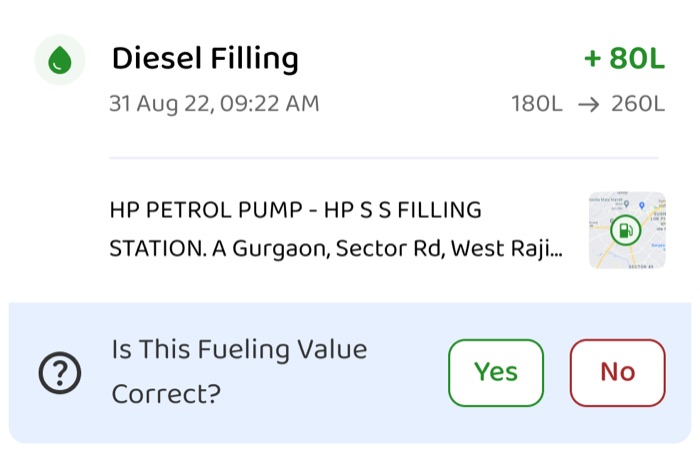
Ask "is this right?" on the reading itself.
A wrong fuel reading used to surface as a phone call days later. Now the fuelling card asks, and a "No" turns straight into a structured report. The same path exists in chat.



After raising · the ticket journey
Every state says what happens next.
One ticket sheet follows the issue from report to rating. The strip under the title always answers the operator's first question: when it will be fixed, what they need to do, or how it went.
- The current step sits on top as a card; everything that already happened stays below with a timestamp, so nothing feels lost.
- The technician is a person, not a status: name, phone number, place and time slot are all on the ticket.
- A failed visit explains itself and turns the strip into Action Pending with one button: Reschedule visit.
- Rating happens on the ticket, in the strip that showed the expected resolution date, not in a separate survey.


Status where the problem lives · contextual touchpoints
Operators shouldn't have to go looking for a ticket.
Each product shows its own tickets where the operator already is: on the vehicle's map, on the diesel page, on the FASTag page, and on home.
- The ticket follows the asset, not the menu. Each page shows only the tickets that belong to it.
- Open it in place. The same ticket sheet opens over the page, so context is never lost.


Escalation nudge on home
When we're waiting on the operator, say so on home.
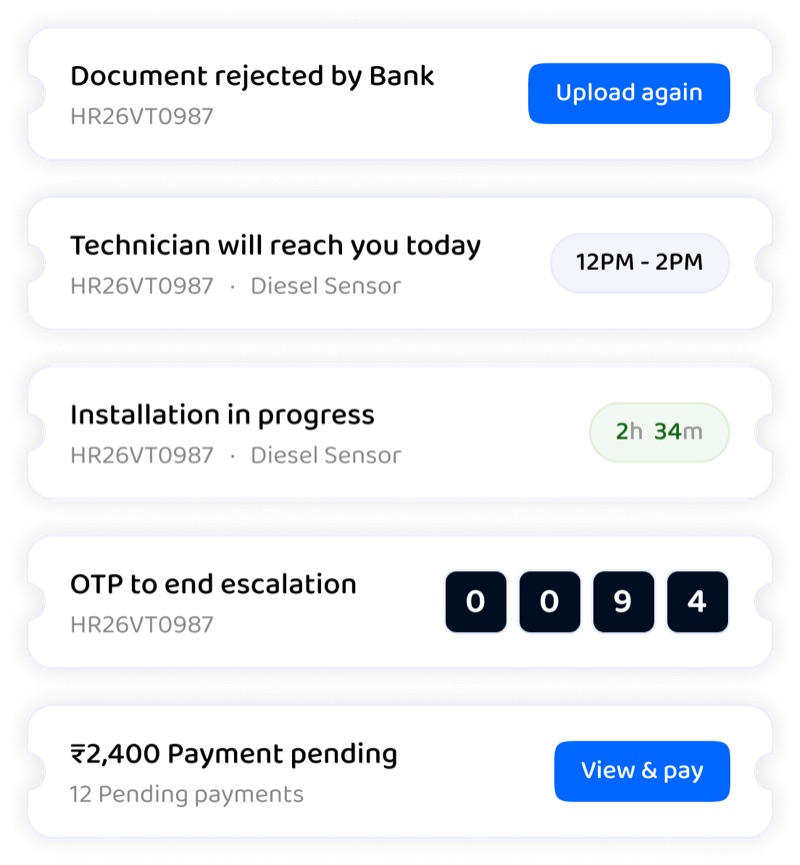
A single strip above the bottom nav carries whatever needs the operator now, with its own action. It sits on both the new and the old home layouts.
- One strip, one action: Upload again, View & pay, or the OTP the technician needs to close the job.
- Time is shown, not promised vaguely: "12 PM – 2 PM", "2h 34m".


The five nudge cases
Closing the loop · feedback
Low ratings come with a reason.
- Rating is the last message of the chat, not an email a day later.
- A low score opens six specific reasons (technician late, too many follow-ups, visit scheduled too late…), pick up to two.
- "Others" takes a voice note or text. For operators who'd rather speak than type, that's the difference between feedback and silence.


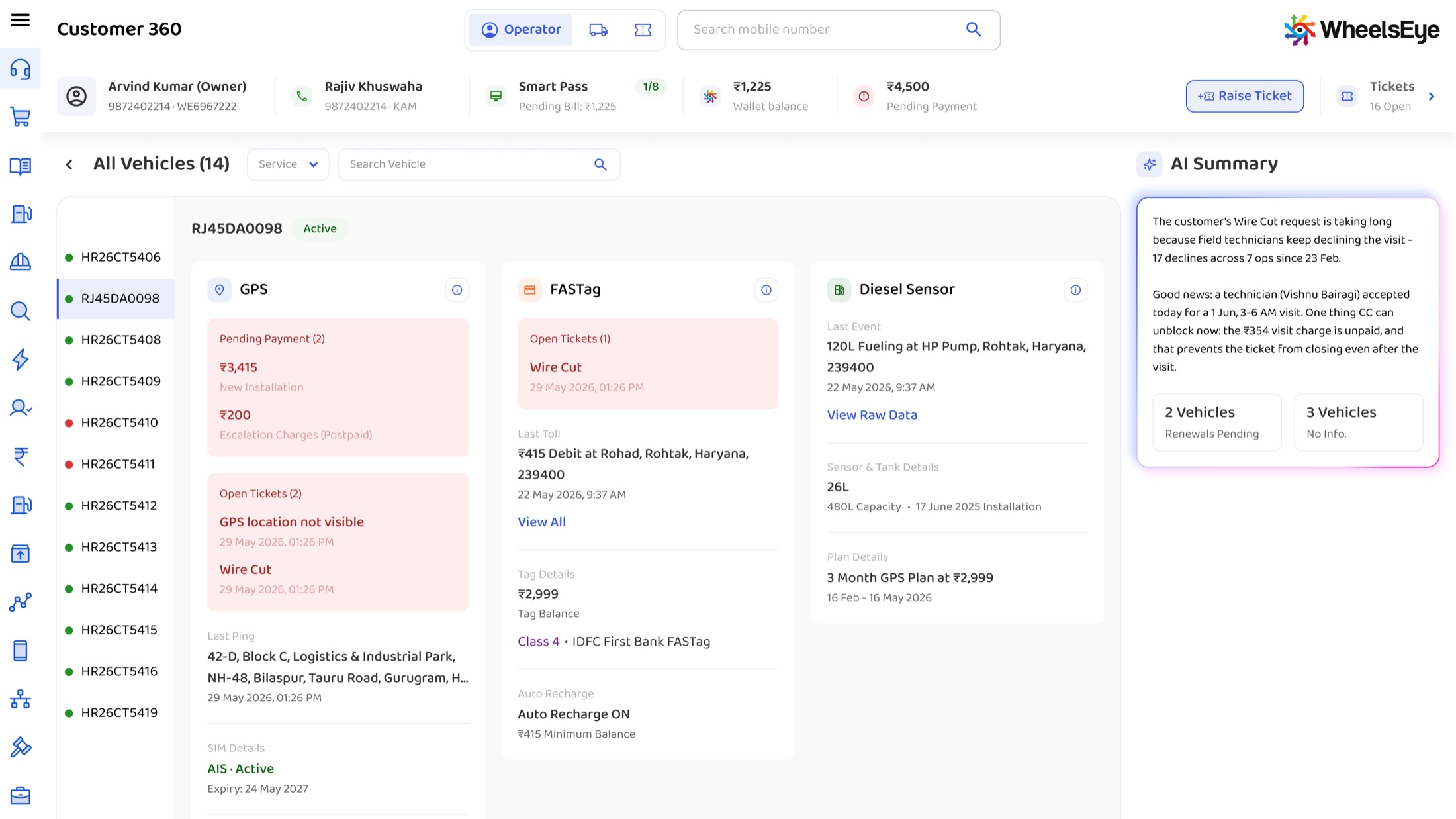
AI for the agents · Customer 360
The call drops. The context doesn't.
Calls broke off mid-way, and an operator who rang back reached a different agent who started cold. An AI summary now does the handover: why the ticket is stuck, what changed, and the one thing the agent on the line can unblock.
- The old console had no place for AI. It was built around one order: a wall of installer assignments and status changes on a single long scroll. A summary dropped in there would have been one more block for the agent to scroll past mid-call.
- So the console was rebuilt around the caller. The agent searches the mobile number and the page opens on that operator. The AI summary gets a fixed rail that stays in the same place on every screen.


