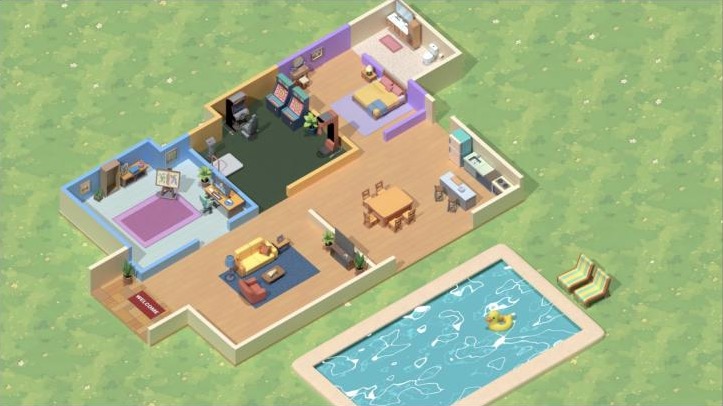
RakuDenZ · Orenda Cosmos · 0 → 1 MVP · from Oct 2025

One place to work, play and build communities.

Taking RakuDenZ from an idea to an MVP: built from scratch, web first, then the Android app.
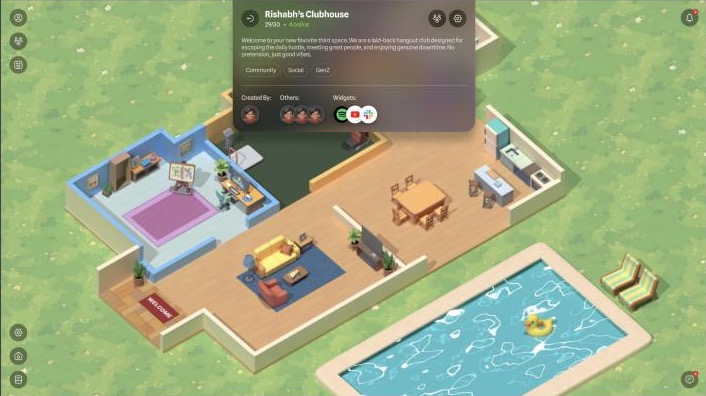
A RakuDenZ community den, Rishabh's Clubhouse, with its about card open: 29 of 30 members, 4 online
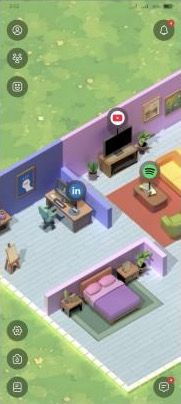
The app home: a personal den with YouTube, Spotify and LinkedIn pinned to furniture
Role
Lead product designer, research to handoff
Team
Orenda Cosmos founders, product designers, engineering
Scope
Built from scratch: web first, then the Android app
Status
Early access

Act 1 · The idea · What had to exist

An idea, no product: one place that's equal parts workspace, playground and community.

For college-goers and young adults, whose clubs, projects, games and friendships already live online, just spread across apps that each do one part. There was nothing to redesign. The job was to make the idea work.

Pillar 1A utility workspaceMeet, plan and get things done together.
Pillar 2A digital playgroundAvatars, games and a world to walk around in.
Pillar 3A place for communitiesClubs you build, run and take pride in.
Holding it togetherWorlds you create and explore togetherThe part none of the existing apps had.

The goals written down at the start

Create a platform that facilitates as well as fosters community building and interactions.Goal 01

Develop context-specific digital spaces that support a specific activity or purpose.Goal 02

Provide a safe space for users to build and engage with communities.Goal 03

Build active, thriving communities that take pride in their participation.Goal 04

Max customisation with min time spent.Goal 05

Act 1 · The idea · Why nothing existing worked

Every app did one pillar well. None did all three.

These four were benchmarked on the board. Each one covers a piece of what young people do together online, and each one stops short.

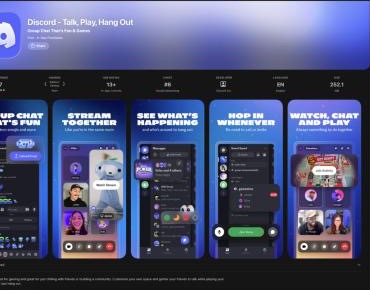
  • Discord builds communities, but it's hard to learn and nothing about it is playful. The need was for something gamified.
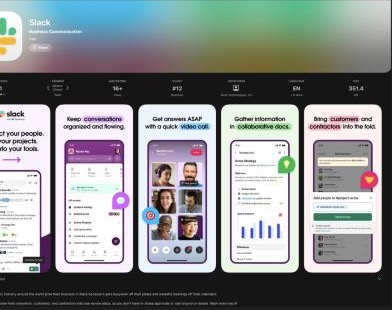
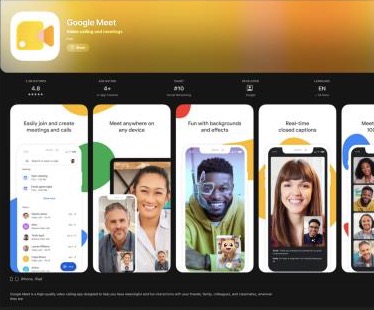
  • Slack and Google Meet let people talk and work together, but collaboration stays flat: no shared place, none of the feeling of being somewhere together that virtual worlds give.
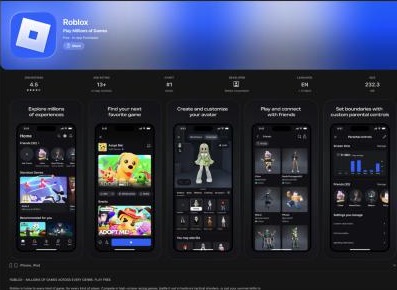
  • Roblox has the world and the avatars, but it's a game, not a place to get anything done.
CommunityWorkspacePlaygroundEasy to start
Discord
Slack
Google Meet
Roblox
RRakuDenZ MVP
Does it wellPartlyMissingThe team's read of the benchmarks; the last row is the target.

Act 1 · The idea · The problem statement

Making the idea work meant resolving three tensions.

Problem statement

College-goers and young adults have no platform that's equal parts utility workspace and digital playground: a place to build communities, work together, play, and create worlds they can explore together.

T1

Playground vs workspace

A game-like world is what makes it fun. Getting something done needs controls that are clear and don't compete with it.

T2

Customisation vs time

People should create their own worlds, but the goals asked for maximum customisation in minimum time.

T3

Mine vs ours

A space you own and a space a community shares need the same tools, with very different rules.

A user who has never used Discord or any similar platform is signing up. How do we make onboarding simple enough that they don't feel overwhelmed?Scenario · research board

The person every decision was tested against. Discord's weak spot was intuitiveness, so the MVP had to be easy for someone who'd never used anything like it.

Act 2 · The journey · How it unfolded

From a hand-drawn map to early access, one decision at a time.

Act 1The idea, the gap, the problem Act 2The journey: research, model, scope, words, look Act 3Seven decisions in the product Act 4Where it landed

Act 2 · The journey · Research

I split the research by object, not by feature.

Each thing the product had to invent got its own track, and each track ran from use cases to scenarios to open questions to task flows. The questions were the useful part: they're the ones a feed normally answers for you.
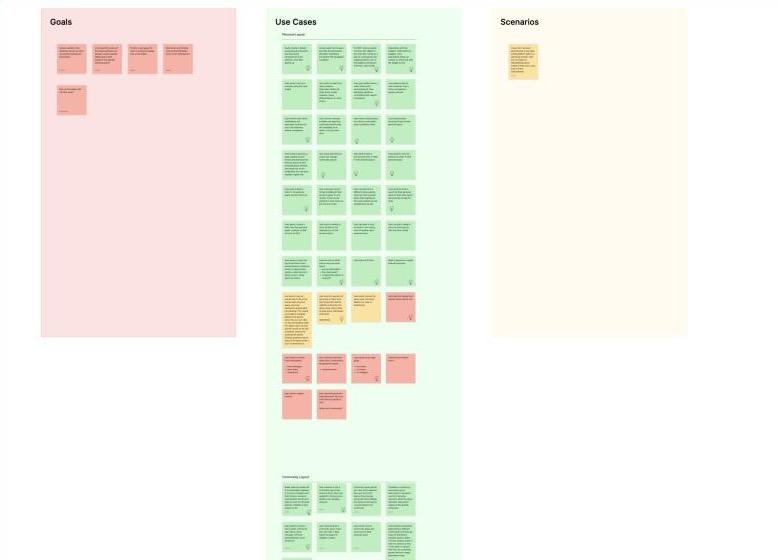
The affinity board: goals, use cases, scenarios and questions on sticky notes
Personal layoutArranging a room you own
Community layoutThe same room, shared
ChatTalk attached to a place
AvatarBeing someone in a room
WidgetsApps as objects

Three questions the board left open

What happens when a user logs out while in a community space? Where will they be when they log in next time?
Answered in D1 · Arrival
How many participants can be assigned roles in a community space? What's their number-to-population ratio?
Answered in D4 · D5
Does a user get a preview of what's happening in a community before entering it?
Answered in D4

Act 2 · The journey · The first model

The first sketch was a map, not a screen.

Before any UI, the product was drawn as geography. That settled the model every later screen sits on: you don't scroll RakuDenZ, you go somewhere in it.

  1. Home is the centre. Your den is where you land, every time.
  2. Communities are districts, grouped by interest (wellness, sport, dance), not by what's trending.
  3. Paths, not rankings. Nothing is served to you. You choose where to go.
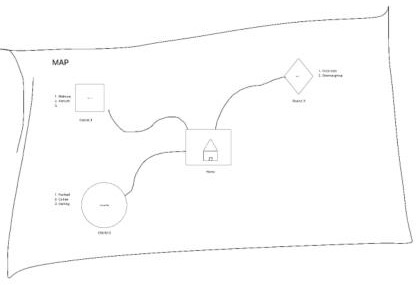
Hand-drawn map: a home at the centre linked by paths to three districts, each listing interests
1 2 3
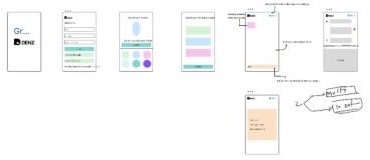
Lo-fi wireframes: splash, sign-up, avatar picker, interest picker and an annotated den

Lo-fi on the same logic: splash, sign-up, avatar, interests, then the den

Act 2 · The journey · 15 Oct 2025

Drawing the MVP line: bring the apps people already use into the room.

Meeting notes · 15 October 2025
  • 3D avatars for the MVP
  • Mobile and tablet: phase 2 (quick actions, settings)
  • Widgets: private and common
  • Widgets: communication and integration
Obvious route

Build the fourteen native widgets on the board. Fourteen new things for a first-timer to learn before the room is useful.

Route taken

Integrate before inventing. Spotify, YouTube, LinkedIn and Meet go into the room on day one; the rest folds into the interface or waits. Web first, where the room has space; Android follows as phase 2.

The 14 widget ideas, and where each one went

MailboxNotification bell + chat
Visitor logLater
Mood statusOnline status
Mutual connectionsLater
Collab boardLater
Task boardLater
PinboardNotice board widget
Call boothGoogle Meet
Display shelfLater
Music playerSpotify
GuestbookLater
Drop boxLater
ExploreDenz directory
Theme customiserLater
Shipped as an integrationFolded into the interfaceHeld for later

Trade-off: the room depends on other companies' apps. In return it's useful the moment you arrive, with apps people already trust.

Act 2 · The journey · 18 Oct 2025

A product about places needed place words.

"User", "personal space" and "community" made every screen sound like a SaaS dashboard. We replaced them with one family of words, so the copy got shorter and the world stayed consistent.

UserDenizen
Personal spaceMy Den
CommunityDen
  • My Denz and Joined Denz split the directory into the spaces you run and the spaces you visit.
  • Denizen is the default role every new member gets.
  • New Community Den is how you start one.
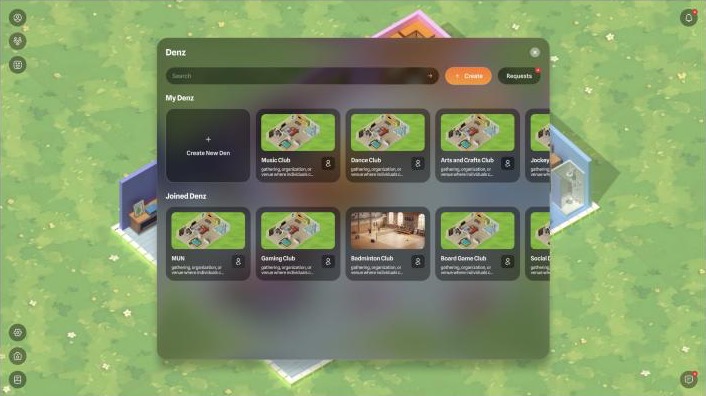
The Denz directory: My Denz with Create New Den, and Joined Denz such as MUN, Gaming Club, Badminton Club and Board Game Club

The Denz directoryThe vocabulary doing the explaining: yours, and the ones you've joined.

Act 2 · The journey · Avatars

Describe people by personality, not by gender.

The avatar is the first thing a denizen chooses, so it sets the tone for everything after. The plan changed between the meeting notes and the final feature list.

3D avatars for the MVP: 5 options each for male and female.Meeting notes · 15 Oct

Avatar selection: up to 10 options. No tagging of gender.Final feature list

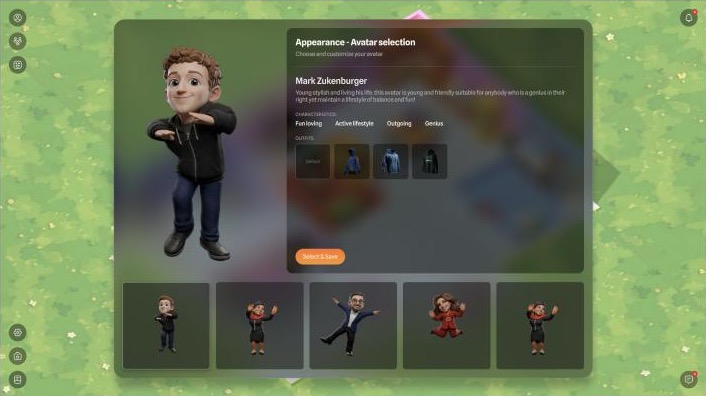
What shipped: each avatar has a name, a one-line description and traits like Fun loving, Active lifestyle, Outgoing, with outfits to switch. You pick who you'd like to be in the room, not which box you tick.
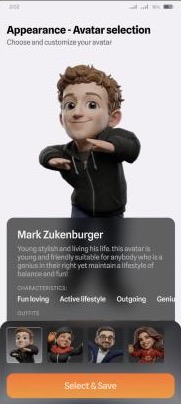
Mobile avatar selection: a 3D avatar, its description and traits, with a gallery of others
AppOne avatar at a time
Web avatar selection with a gallery of five avatars and outfit options
WebThe whole gallery at once

Act 2 · The journey · The look T1 Playground vs workspace

Two looks went head to head. The answer was half of each.

Both directions were built far enough to judge, each with its advantages and drawbacks written beside it on the board. Neither resolved T1 on its own.
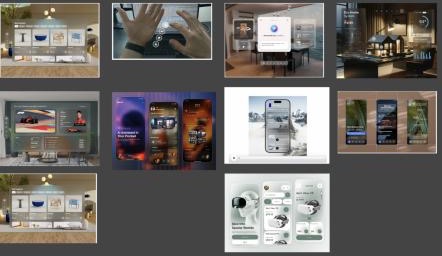
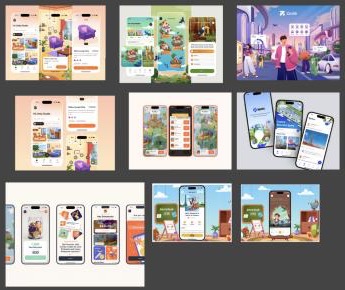
Clean spatial moodboard: translucent floating widgets over 3D rooms

Direction A

Clean spatial

For: translucent, floating panels. The 3D room is never blocked.

Against: low contrast. The room behind distracts from the task.
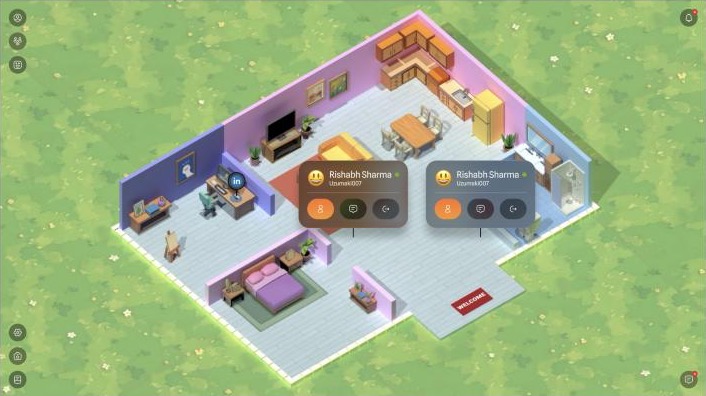
Illustrated game moodboard: loud illustrations and solid bottom sheets

Direction B

Illustrated game

For: warm, loud, game-like. Solid panels are easy to read.

Against: open any menu and the room disappears.
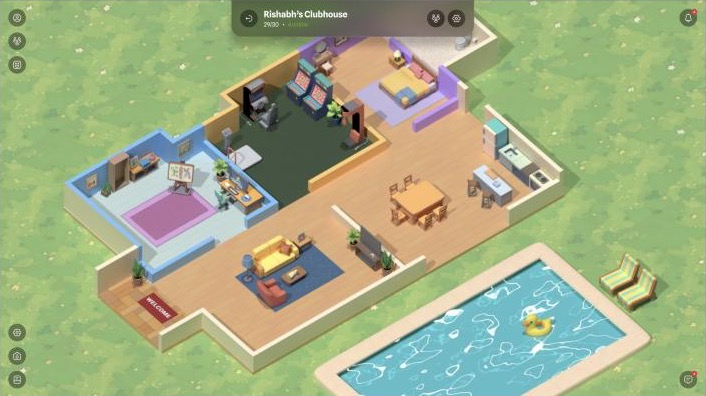
The shipped look: an illustrated isometric den with dark, translucent visitor cards over it

Shipped

B's world, A's glass

Illustrated isometric rooms under dark, translucent panels. The world stays visible, the controls stay readable, and orange marks the one next step.

Act 3 · The decisions · The solution in one line

The den is the home screen. Everything else happens inside it.
The app home: a personal den
Android appPhase 2
The web app: a community den with a pool, 29 of 30 members and 4 online
WebWhere it started
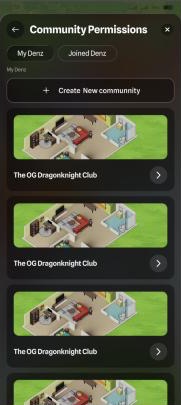
Community permissions: My Denz and Joined Denz
SettingsShared by both
T1 Playground vs workspaceWork and play in one roomChannels, calls and profiles open over the world, never instead of it.
T2 Customisation vs timeEvery object is a slotYou make a room yours by filling slots, not by arranging furniture.
T3 Mine vs oursEvery den has rulesOne editor for both kinds of den; roles decide who can use it.

Decision 1 · Arrival T2 Customisation vs time

Show the first-timer the room before the form.

Obvious route

A sign-up form, then a tutorial that explains the world in words.

Route taken

The welcome screen is a furnished den. Sign in with email, Google or Discord, pick an avatar, and "Go to home". Every session ends in your den, which also answers the question of where you are when you log back in.

Trade-off: the very first screen carries heavy art. It's the one screen that has to sell the idea, so it earns the weight.

Welcome: Build your Community, over a furnished isometric den Log in with email, Google or Discord Pick an avatar from a gallery Home: a personal den

Decision 2 · Make it yours T2 Customisation vs time

Customisation in minutes: every object is a slot.

Max customisation with min time spent.Goal 05 · the brief

Obvious route

A free-placement editor: drag any furniture anywhere. Hours of fiddling, and plenty of broken rooms.

Route taken

Rooms arrive furnished, and every object is a slot. Edit mode fades the room and marks each one with a +. Tap it, pick an app from the store that opens in place, done. Personal layout turns apps on or off.

Trade-off: you can't move the sofa. You can make it play your playlist.

A personal den with YouTube, Spotify and LinkedIn pinned to furniture Edit mode: the room faded and a plus on every placeable object Apps and widgets store opened in place: app widgets and communication widgets Personal layout settings: layout name, app widgets and integrated apps toggled on

Decision 3 · Presence T1 Playground vs workspace

Without a feed, you find out what's happening by looking.

Avatar to avatar: clicking on an avatar could show brief information about them in the form of an ID card.Meeting notes · 28 Oct 2025

Obvious route

An activity list or a notification stream: a feed under another name.

Route taken

People are in the room. Name tags show where each person is standing. Tap one and their ID card opens over the world, with their links, their communities, and Add friend, Chat, Gift and Kick.

Trade-off: a quiet room looks quiet. Nothing fakes activity, so hosts have to invite people in (D7).

A den with name tags showing where people are standing Two quick cards open over the den, each with profile, chat and leave actions A visitor's full card: Add friend, links, communities, and Chat, Gift and Kick Your own profile card over the room

Decision 4 · Communities T3 Mine vs ours

A community is a den with a door, a limit and a headcount.

Maximum of 30 avatars will be visible for MVP. (needs discussion)Community feature list

The constraint

A room can only render so many avatars before it stops reading as a room. Discord's model (unlimited members, a list of channels) doesn't survive being drawn.

Route taken

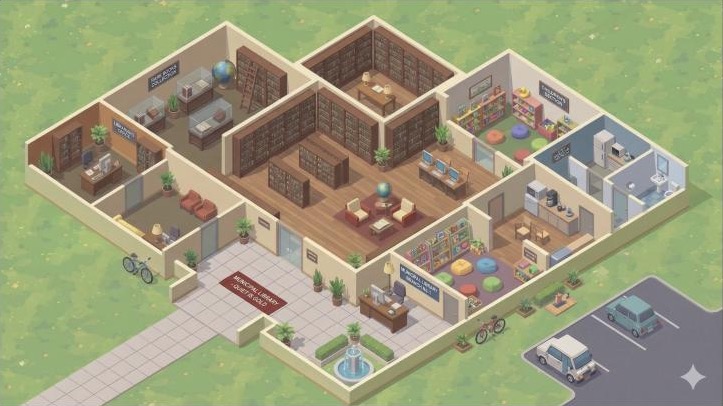
The render limit became the membership rule: 30 per den. The header reads 29/30 · 4 online, and the about card shows creator, tags and widgets before you step in. Layouts grew from two presets on the board to three (Library, Funhouse, Office), picked before the name.

Trade-off: big clubs split across several dens, and what happens past 30 (a queue, priority members) was still an open question on the 28 Oct board.

Denz directory: My Denz and Joined Denz New Community Den: choose a layout, then name, member limit, images, tags and widgets Inside Rishabh's Clubhouse: 29 of 30, 4 online About the den: description, tags, creator, members and widgets

Decision 5 · Rules for shared rooms T3 Mine vs ours

Same editor, different den: roles decide who can use it.

Assign roles: Admin (all), Moderator (kick / edit), Denizen.Community feature list · first plan

First plan

Three fixed tiers. Simple, until a MUN club or a gaming guild needs a job nobody planned for, which is exactly what goal 03's "safe space" asks hosts to handle.

Route taken

A role is a checklist of widget access. President and Police come by default; hosts write their own (one club made a "Vice Dragon"). Every member is Edit access or View only, and new members start as Denizens.

Trade-off: more setup for a host who wants it. The defaults carry everyone else.

Den settings: name, bio, tags, members, avatar visibility, layout, delete, invite and role manager Manage roles: President and Police by default, custom roles created by the president Create new role: a name and a checklist of widget access Manage members: each with a role and Edit access or View only

Decision 6 · Talk T1 Playground vs workspace

Conversation happens in the room, not in another tab.

Obvious route

A separate chat screen, like Discord or Slack. You leave the place to talk about it.

Route taken

Channels open over the den with an online/offline roster beside them. DMs dock along the bottom as small windows, so the room stays in view. Calls are a Meet widget pinned to a meeting room. On a phone, chat takes the screen and the den stays one tap behind it.

Trade-off: long threads get less room on the web. Conversation in the room tends to be short anyway.

The War Room channel over the den, with online and offline members Direct messages docked as small windows along the bottom of the den An office layout with widgets pinned to rooms The Google Meet widget opened in the office

Decision 7 · Invites T3 Mine vs ours

With no feed to discover you, the invite is the front door.

Find Den: primarily by invite link. Listing of dens, search by names, filter by tags and interests.Community feature list

Also on the board

Visibility states for a den (open gate, closed gate, guest-list entry) and accepting or ignoring join requests.

Route taken

The link comes first; search and requests back it up. Invites start in the den's own settings. The link lands on a page that says who invited you, to which den and how many people are inside, before any form. The Denz directory keeps a Requests inbox for people who find a den on their own.

Trade-off: growth depends on people inviting people. That's the point: every new denizen arrives with a friend already inside.

Community permissions: pick the den Den settings with members, layout, invite and role manager Invite landing: Kushal invited you to join Clubhouse, 12 members, create account or Google

Act 4 · Where it landed · Closing the loop

Every gap, tension and open question, traced to what shipped.

Gap, tension or questionWhat resolved itWhere
GapDiscord: community, but hard to learn and not playfulDens you walk into, avatars, a furnished room on arrival, and three ways to sign in, including Discord itself.D1 · D3 · D4
GapSlack and Meet: work, but no shared placeChannels, DMs and Google Meet live inside the den, and an Office layout gives teams a room to work in.D6 · MVP line
T1Playground vs workspaceIllustrated world under dark glass: the game stays visible, the controls stay readable. Work opens over the room, never instead of it.Look · D3 · D6
T2Customisation vs timeFurnished layouts to start from, every object a slot, apps from a store in place, a welcome that shows the room.D1 · D2 · D4
T3Mine vs oursMy Denz vs Joined Denz, roles as widget checklists, Edit or View only, Kick on every visitor card.Words · D3 · D5
QuestionWhere do you land after logging out?In your own den. Every session ends at home.D1
QuestionHow many people can hold roles?30 per den, set by how many avatars a room can show. President and Police by default, custom roles on top.D4 · D5
QuestionCan you preview a community first?A live headcount and an about card before you step in.D4
ScenarioThe first-timer who's never used DiscordA welcome that shows the room, three ways to sign in, an avatar from a gallery, and a friend's invite as the way in.D1 · D7

Act 4 · Where it landed · Outcome

From an idea to an MVP, and people moved in.

RakuDenZ opened early access as one place to work, play and build communities. People arrive through a friend's link, land in a room that's already theirs, and meet, talk and hang out in the same den.

14,000+residents joined in one week of early access, as reported on rakudenz.com
What I'd do differently

The team seeded a few communities for the MVP (28 Oct) so early denizens had somewhere to go. I'd go further and design the first minute in an empty personal den before the editor: presence (D3) can't help when nobody's home yet.

The world kit it runs on
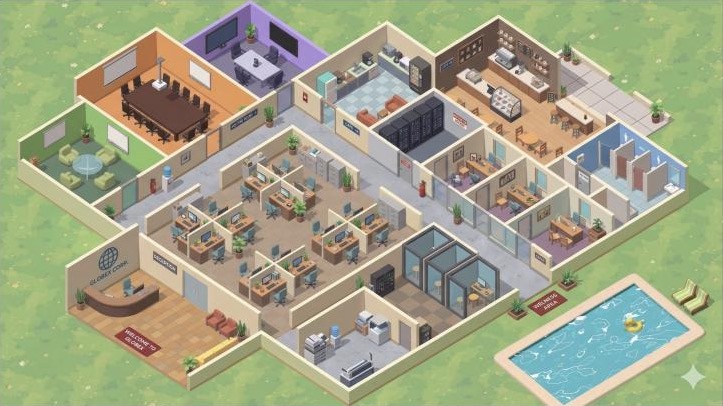
Office layout
Library layout
Funhouse layout

Deliberately left for later

  • GuestbookLeave a note in someone's den
  • Visitor logWho dropped by while you were away
  • World mapJump between every den from one view
  • QuestsNudges to explore features
  • Past 30Queues and priority members for full dens
  • Collab and task boardsWork widgets for office dens

Thanks for reading.Building a place people should want to live in? Let's talk.